All work

Midrash.live

Torah learning platform

An open house of study, online and around the corner: classes from leading rabbis, minyanim and prayer times, and a live map of in-person classes in your own neighbourhood - with registration built in.

Visit midrash.live Try the demo
Role
Product · Brand · UX/UI · Full-stack
Type
Video · Community · Events
Stack
Next.js 15 · React 19 · Prisma · Tailwind 4
Languages
Hebrew RTL · English LTR
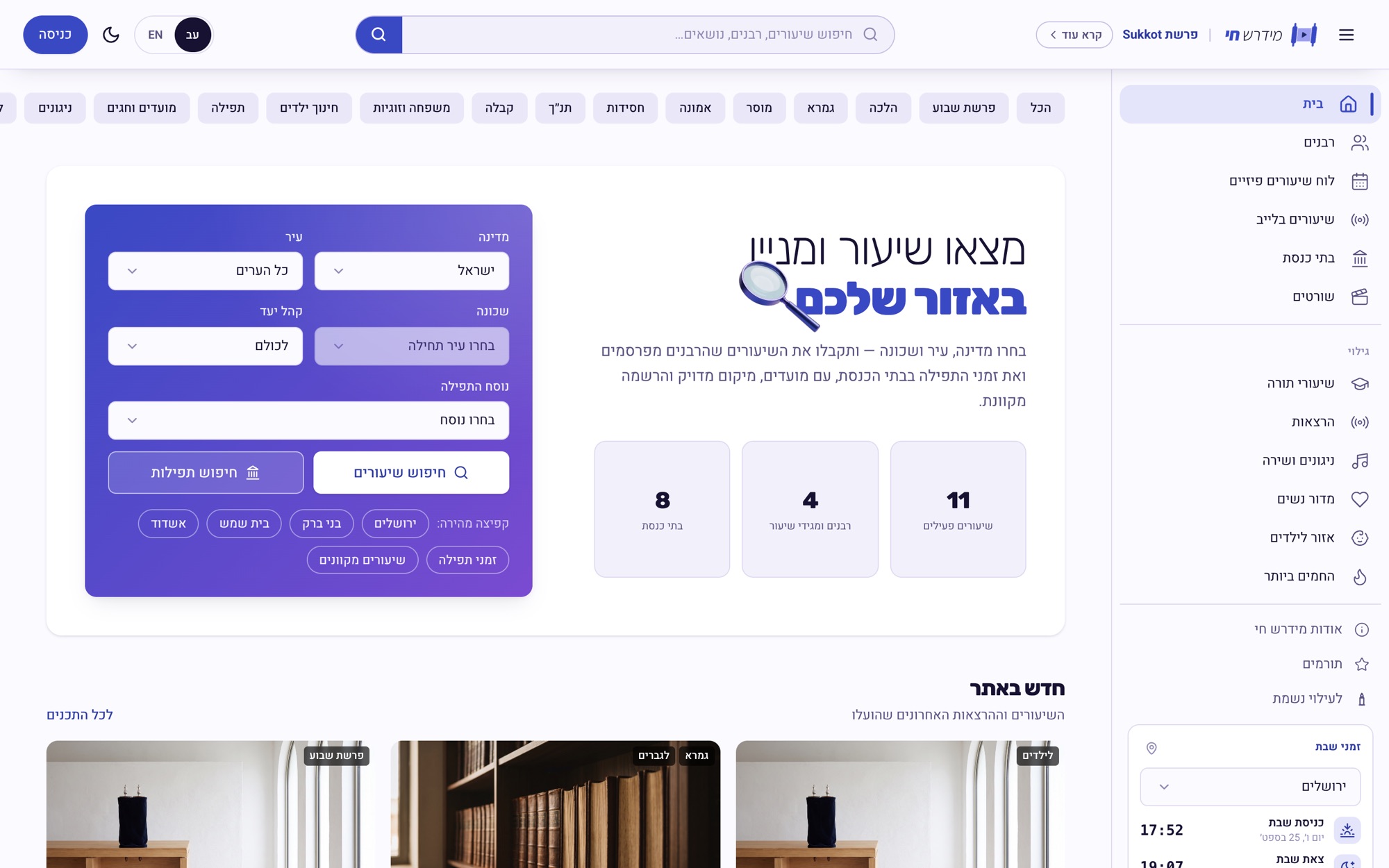
Midrash.live home - find a class and a minyan in your area

What it is

Torah content today is scattered between YouTube, WhatsApp groups and notices on a synagogue board. Someone looking for a class can't find out what's on this week in their own neighbourhood, and a rabbi who wants to spread a class depends on platforms that were never built for him.

Midrash.live joins the two worlds in one product: a curated video library and a live map of the physical community - classes, synagogues, minyanim and prayer times - with a studio that lets every rabbi run his own page.

The problem

  • No local map - No way to know which classes and minyanim run near home
  • Scattered content - Spread across platforms built for someone else
  • No tools for a rabbi - No page, no schedule, no registrations, no team
  • Prayer times out of date - Minyanim tied to sunset change every day, but notices don't
  • Audience fit - A real need to match content to men, women and children

The solution

  • Hierarchical search - Country › city › neighbourhood, for classes and prayers
  • Four content types - Classes, lectures, shorts and melodies
  • A studio for the rabbi - Upload, schedule, registrations and page design
  • Two-way booking - A rabbi asks a synagogue for a slot, or a synagogue asks a rabbi
  • Labelled, not hidden - Every item carries its audience, so nothing is guessed

Brand

The mark is a Torah scroll with a play button where the text would be - the whole idea in one shape: the oldest way of learning, opened like a video. The whole palette is derived from it: one blue family from its three tones - periwinkle for the parchment, techelet for the rollers, the deep azure of the tzitzit thread, and indigo for the arrow. In the wordmark, מידרש is light and חי is heavy, and the words lean together, because Hebrew has no true italic.


Midrash.live symbol
Midrash.live logotype
Midrash.live symbol, white
Midrash.live logotype, white
Midrash.live in colour

Symbol and logotype, in black, in white and in colour. In one colour, the arrow is cut out of the panel.

Techelet#3949C4
The brand, the rollers
Periwinkle#9B9EF0
The parchment, soft fills
Indigo#1F2A6B
The arrow, deep surfaces
Ink#0F1436
Text
Ground#F6F7FB
The page

One hue family taken from the logo, so the interface never competes with the content.

מידרש חיAssistantThe wordmark, 300 and 800, leaned
שיעורRubikHeadings
אב Aa 123HeeboBody text, in both languages

Hebrew first, with English set in the same faces.
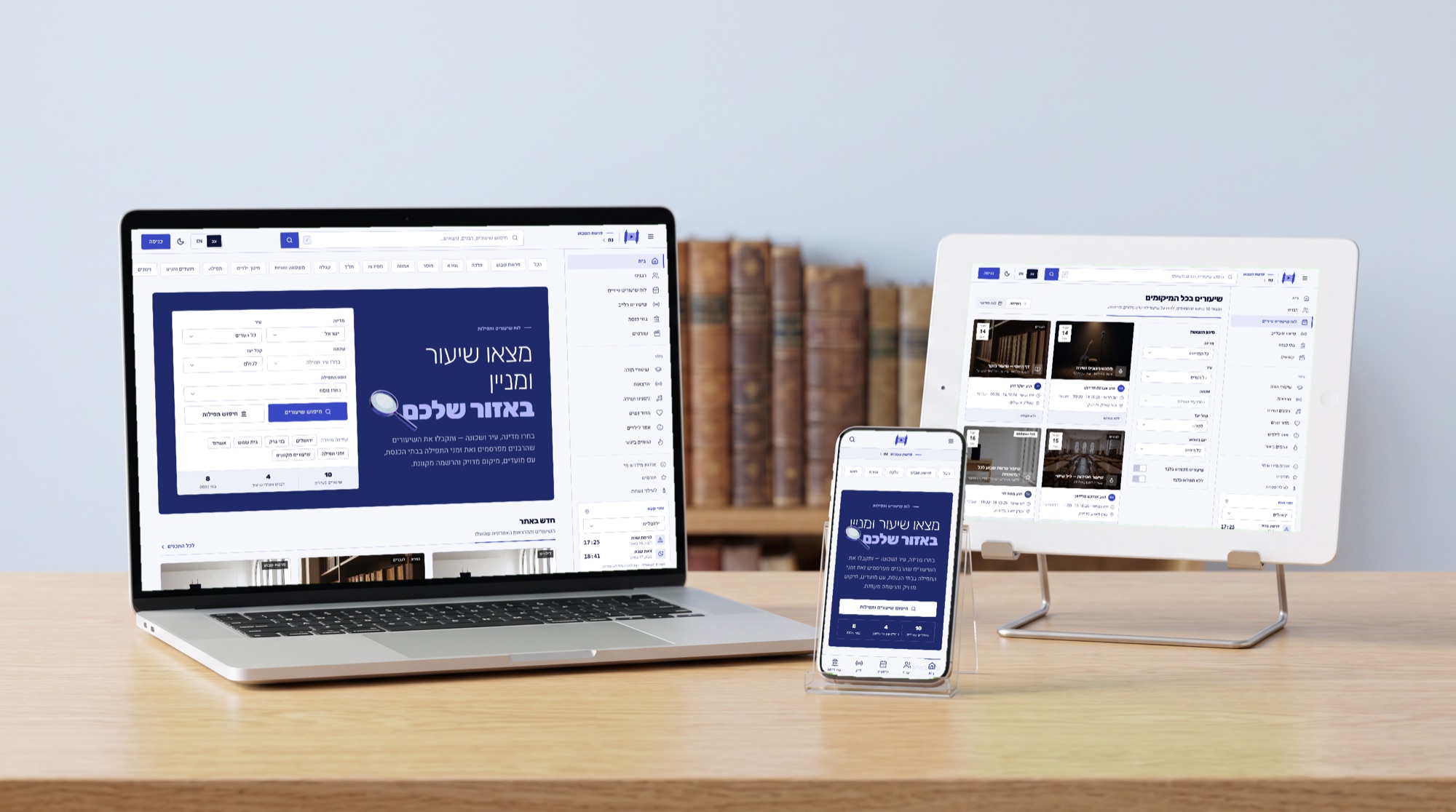
Midrash.live - The product on a laptop, a tablet and a phone - real screens from the live product
The product on a laptop, a tablet and a phone - real screens from the live product
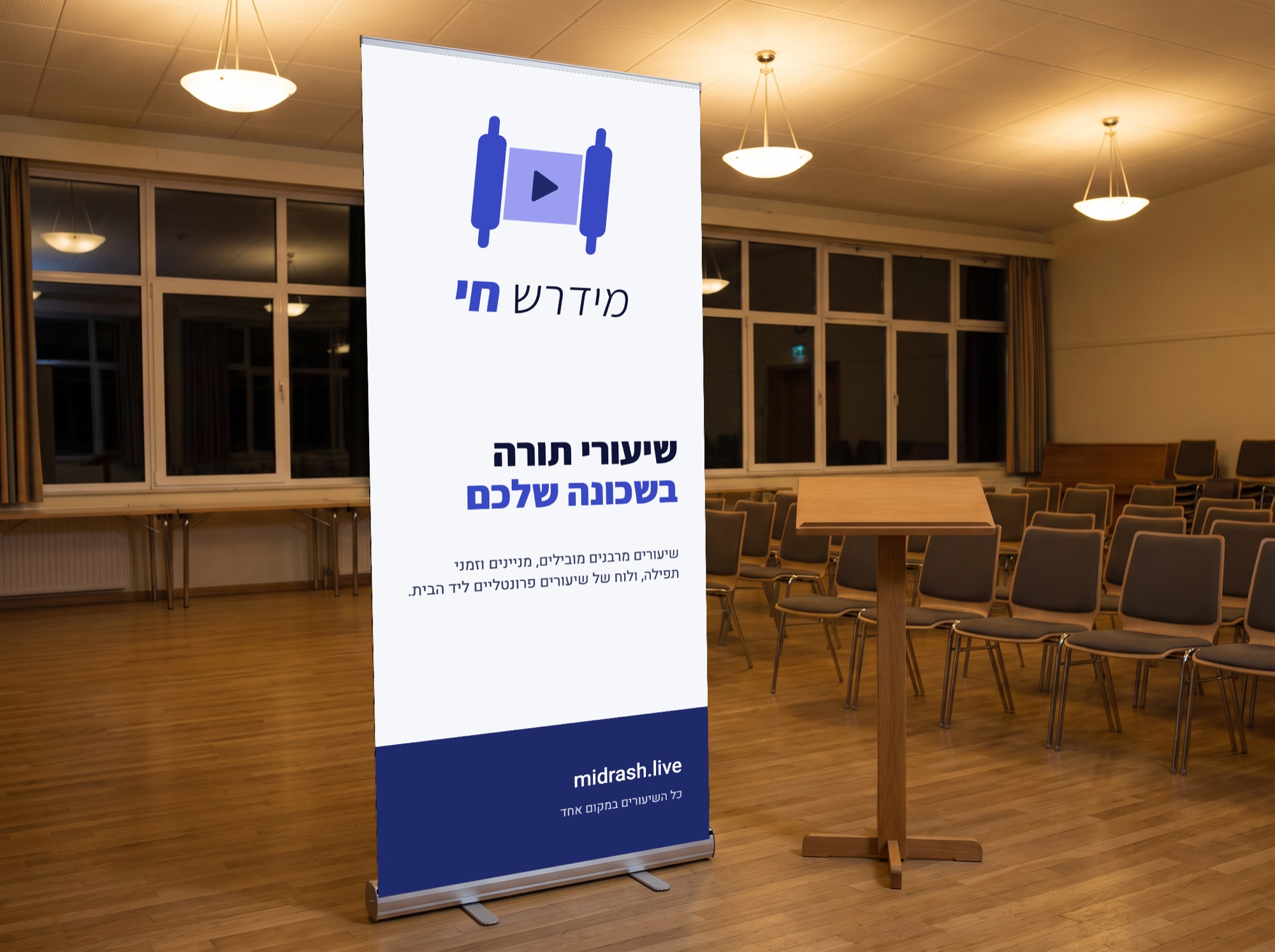
Midrash.live - Roll-up banner for a community class
Roll-up banner for a community class
Midrash.live - Canvas tote for the beit midrash
Canvas tote for the beit midrash
Midrash.live - Crocheted kippah with the scroll
Crocheted kippah with the scroll
Midrash.live - A notebook for class notes
A notebook for class notes

How it's built

Framework
Next.js 15
App Router · Server Actions
React 19
Data
Prisma
SQLite in development
PostgreSQL for launch
Calendar
Hebcal
Shabbat times, the parasha
and daily zmanim for prayer times
Auth
jose + bcrypt
Sessions · channel-level
permissions per capability

The screens

The schedule - the core idea

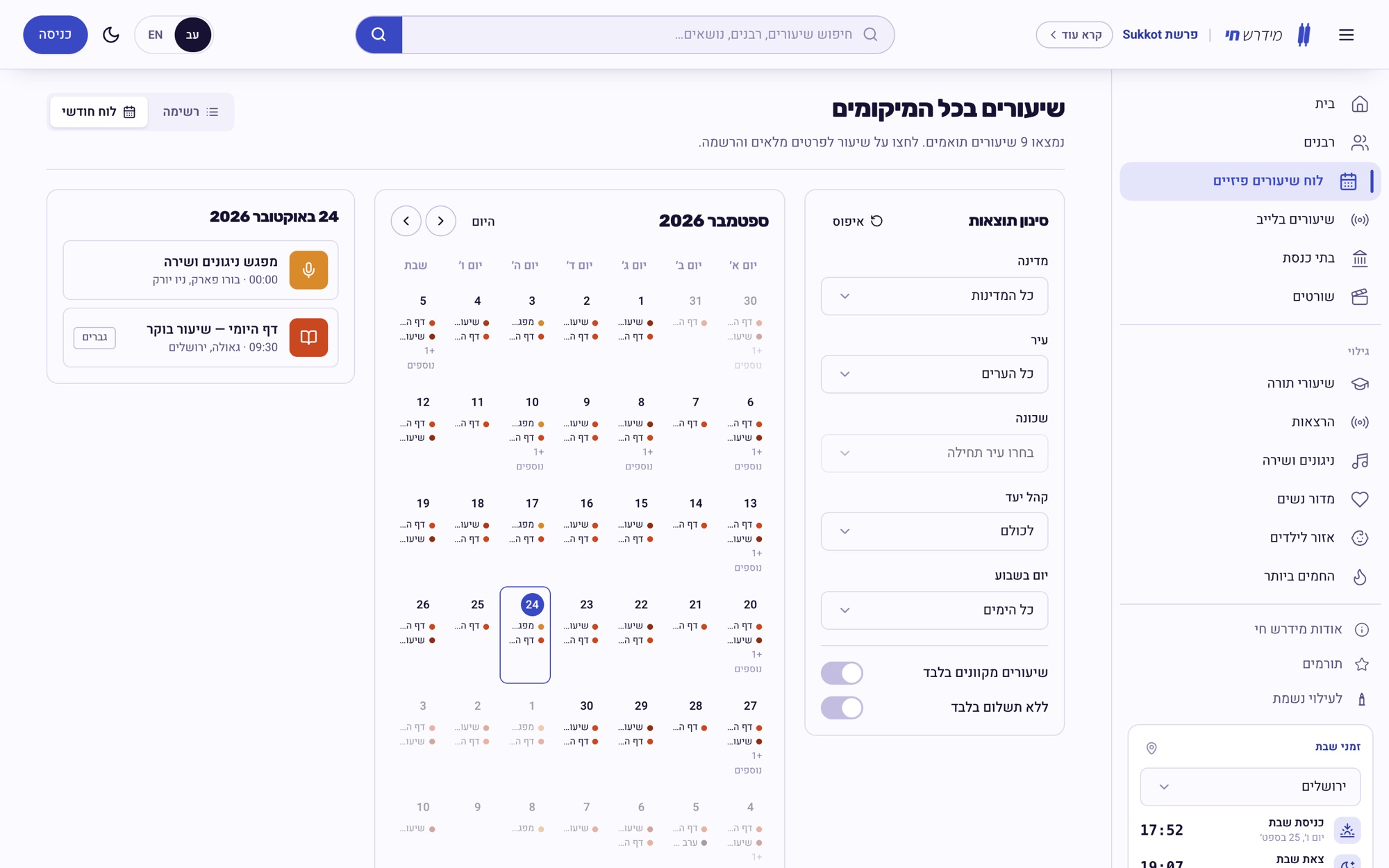
What separates this from a video site. An in-person class is an event with a place, a time, an audience and a registration, so it has its own data model rather than being squeezed into a video. The list and the calendar are two views of the same events, filtered by the same location.
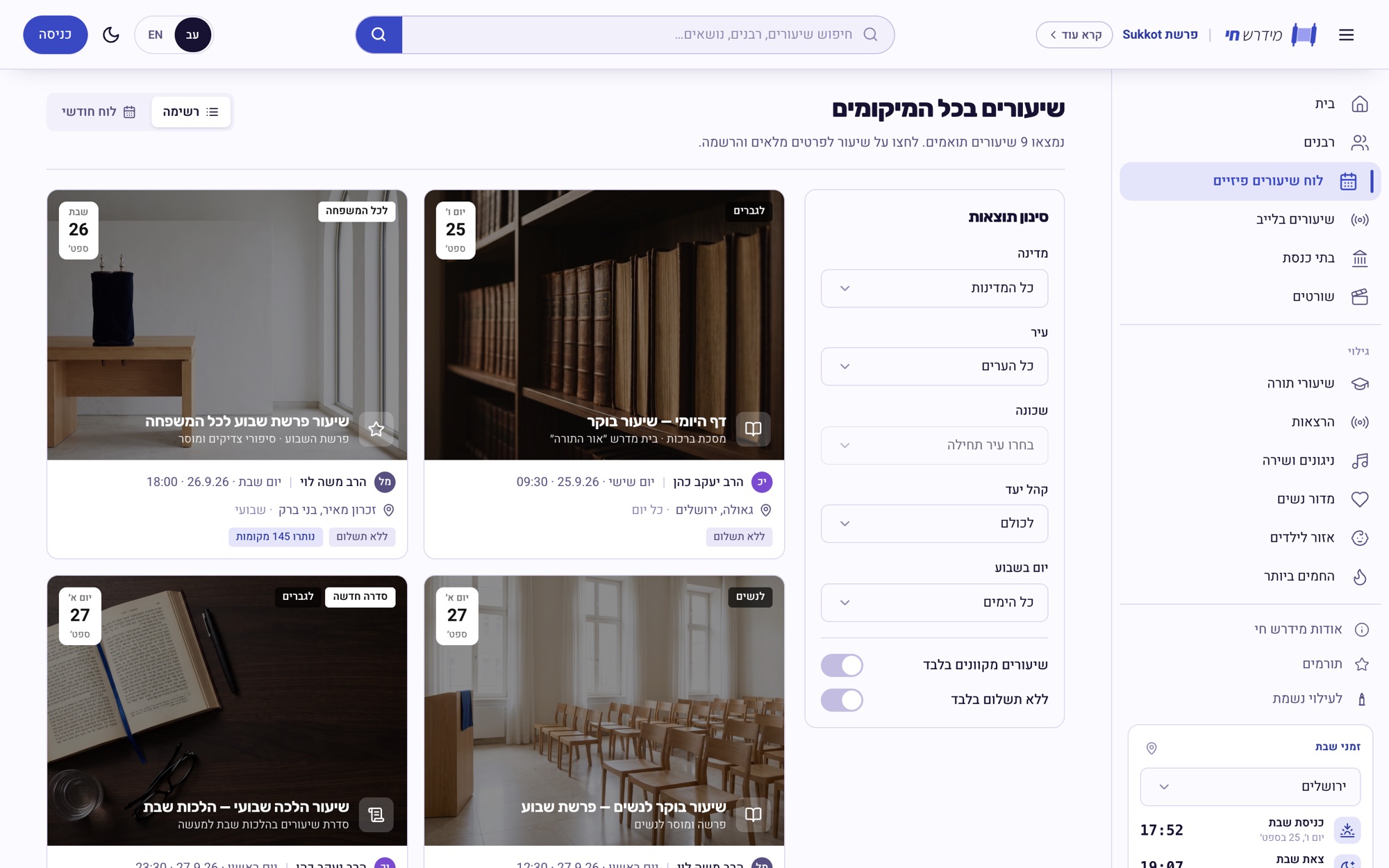
Midrash.live - in-person classes everywhere
Midrash.live - the class calendar

From finding to showing up

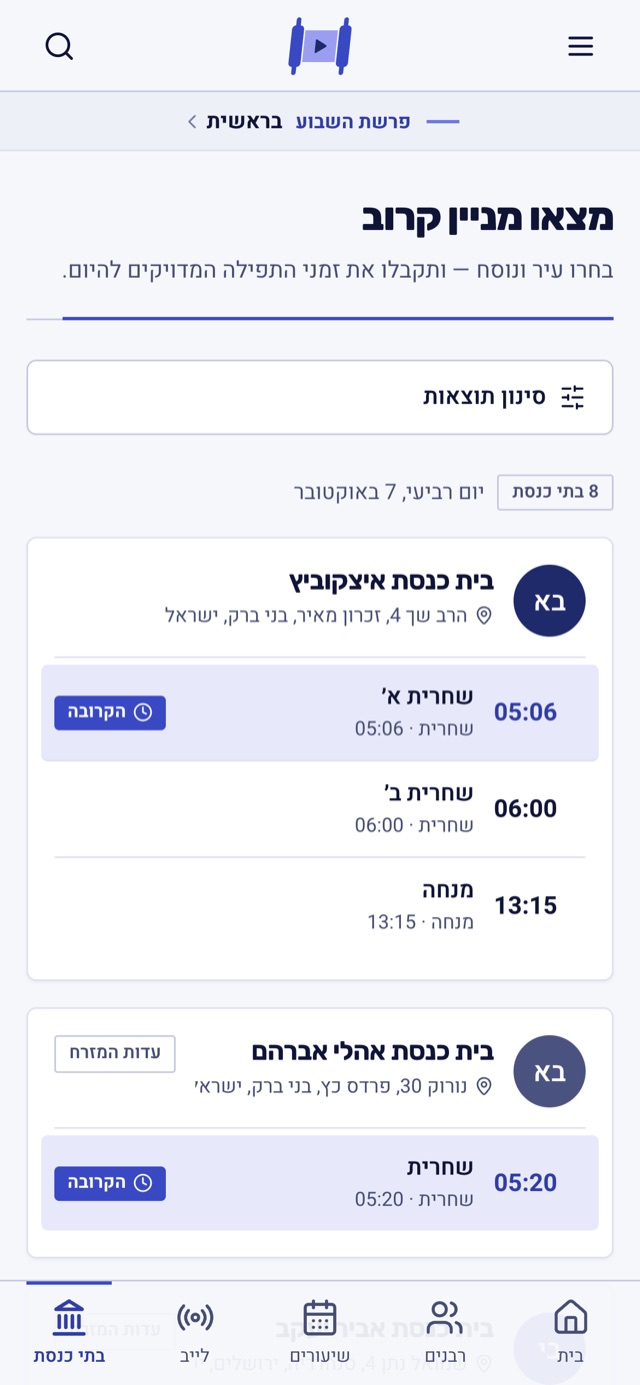
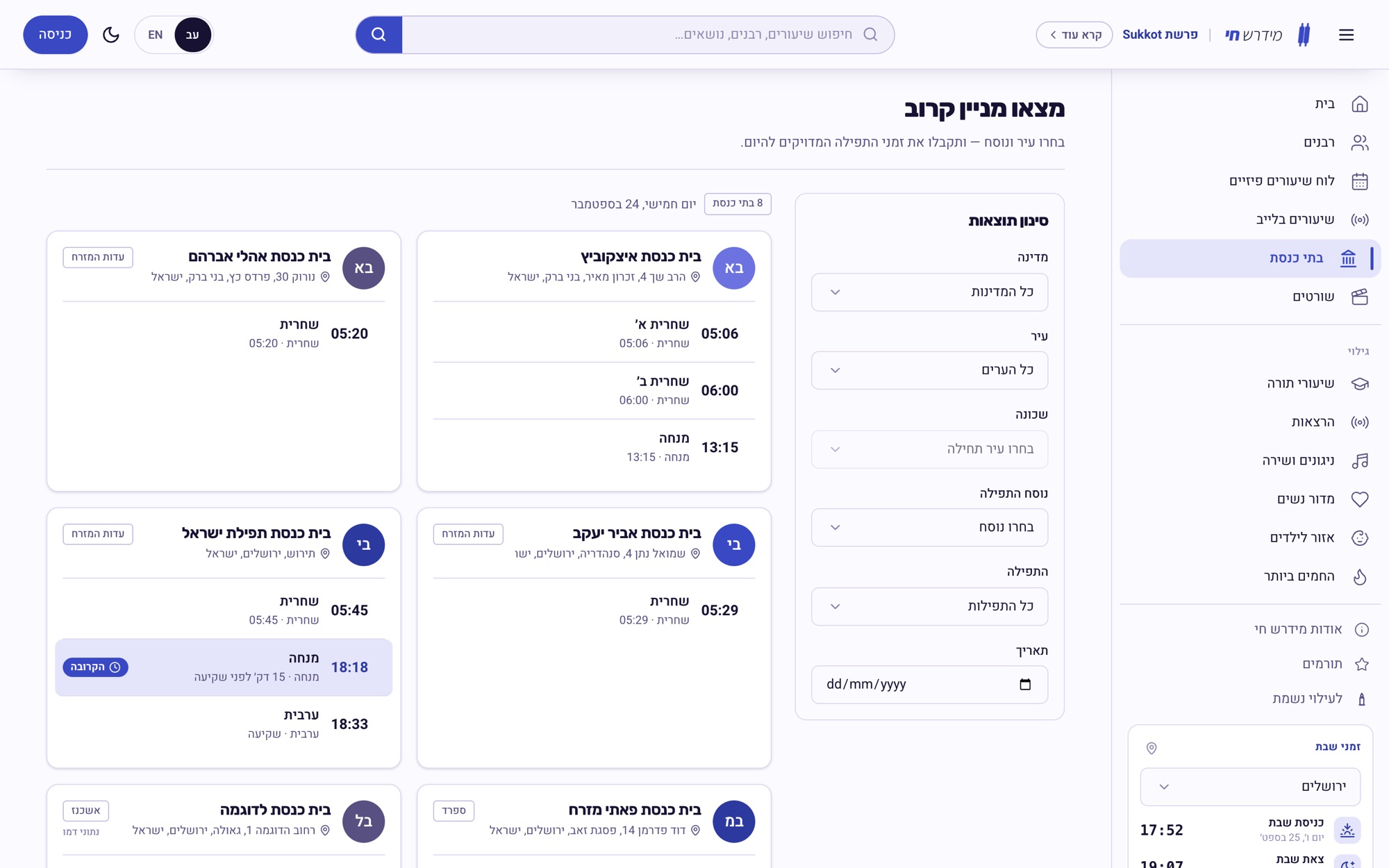
A class page answers the three questions that decide attendance - where, when, and is it for me - and ends in a registration form, not a share button. Synagogues get their own search: pick a city and a nusach and see today's minyanim, with times worked out for the day - a minyan set to “20 minutes before sunset” moves with the sun.
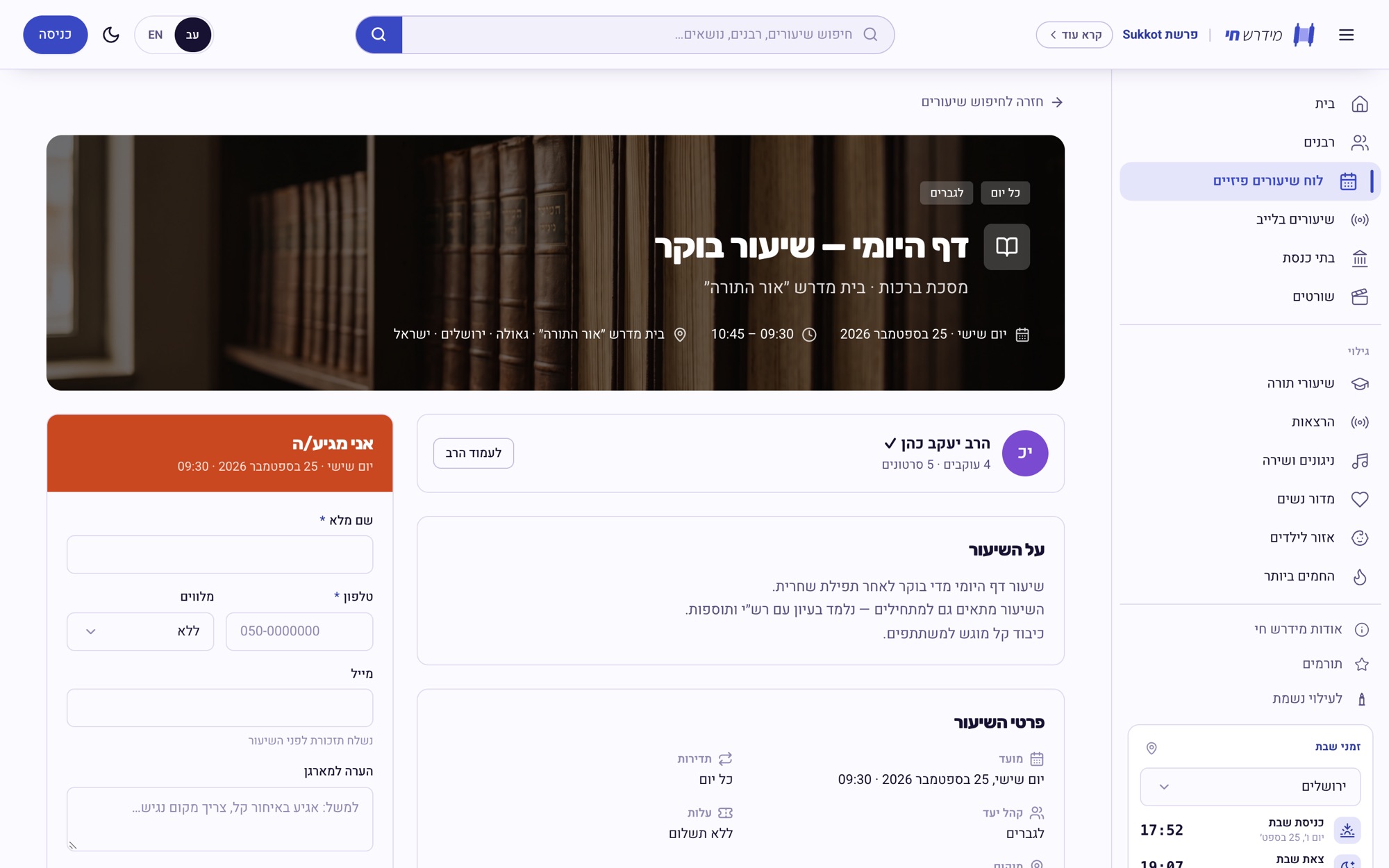
Midrash.live - a class page with registration
Midrash.live - find a minyan nearby

The rabbi's page

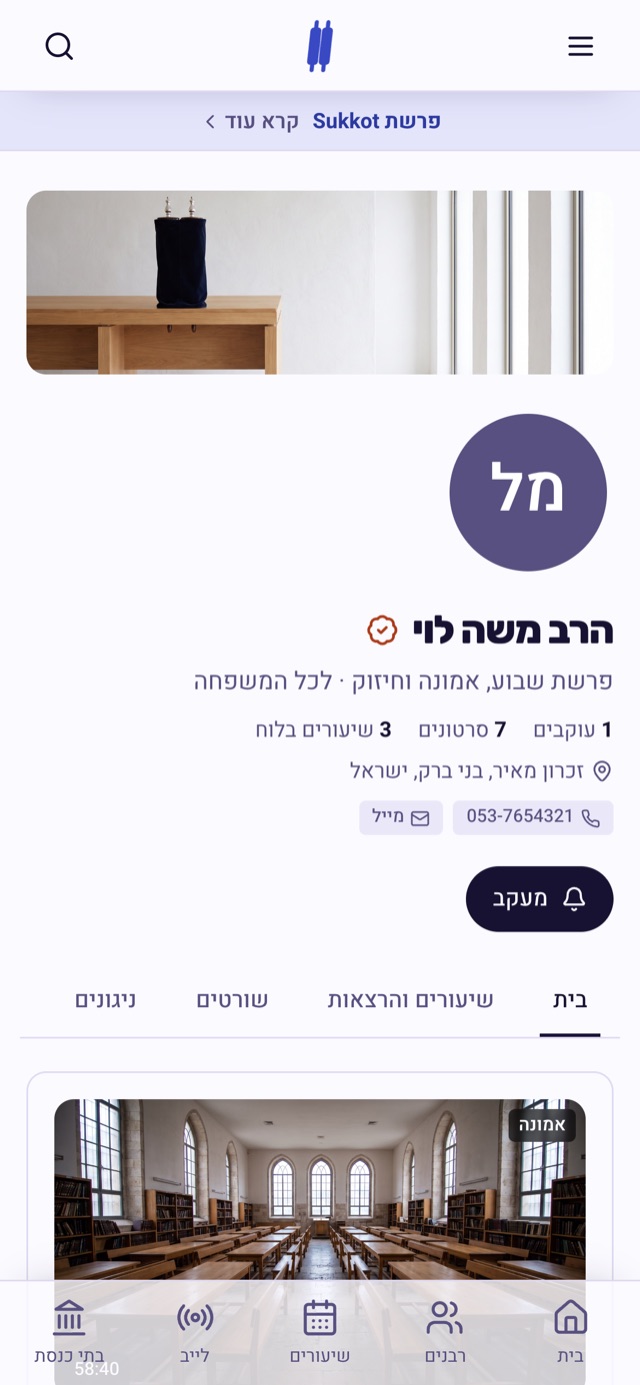
Every rabbi gets a channel with the sections he chooses to show - videos, shorts, melodies, schedule and about. The rabbi controls what appears, so someone who only teaches Daf Yomi doesn't get a page full of empty tabs.
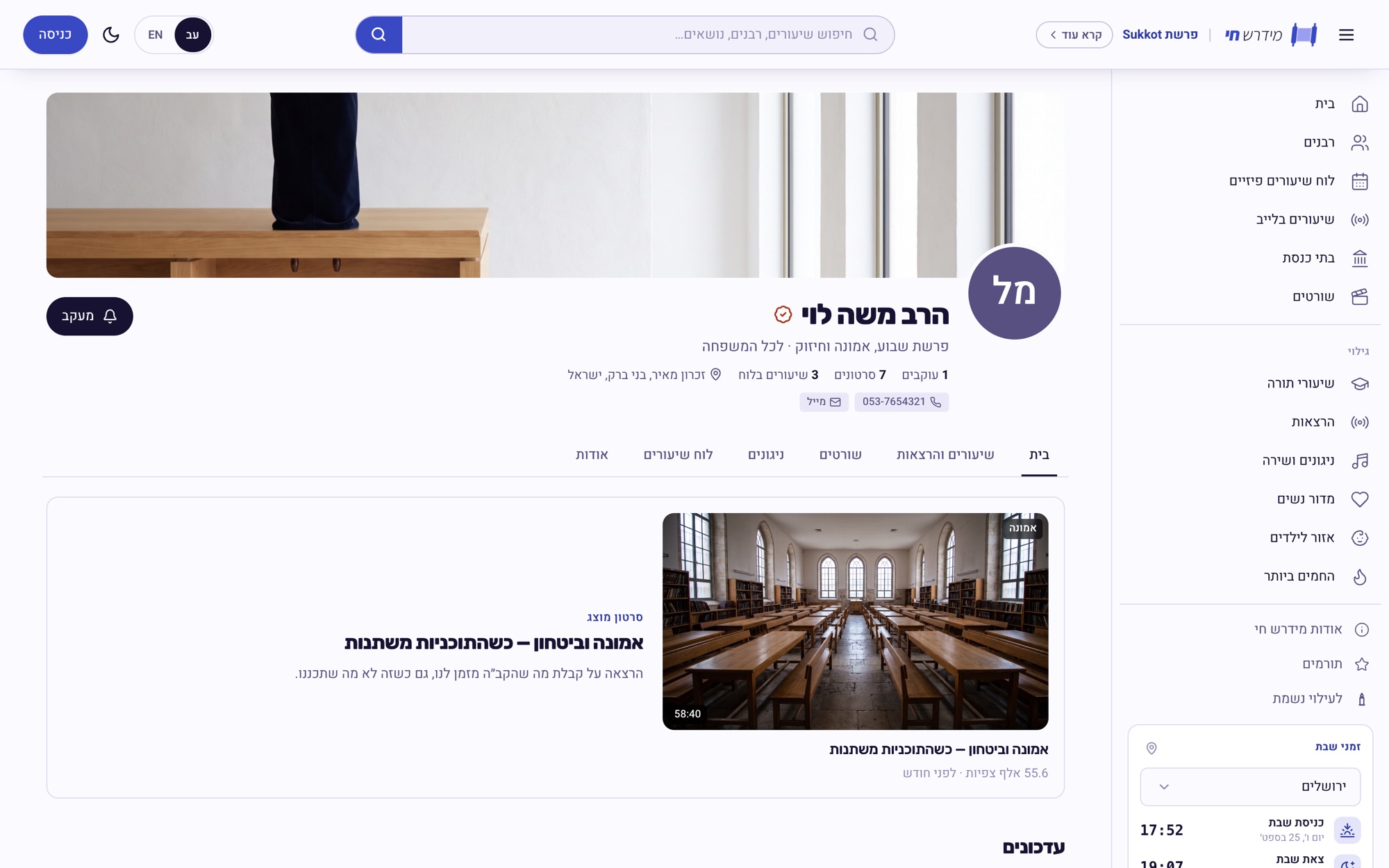
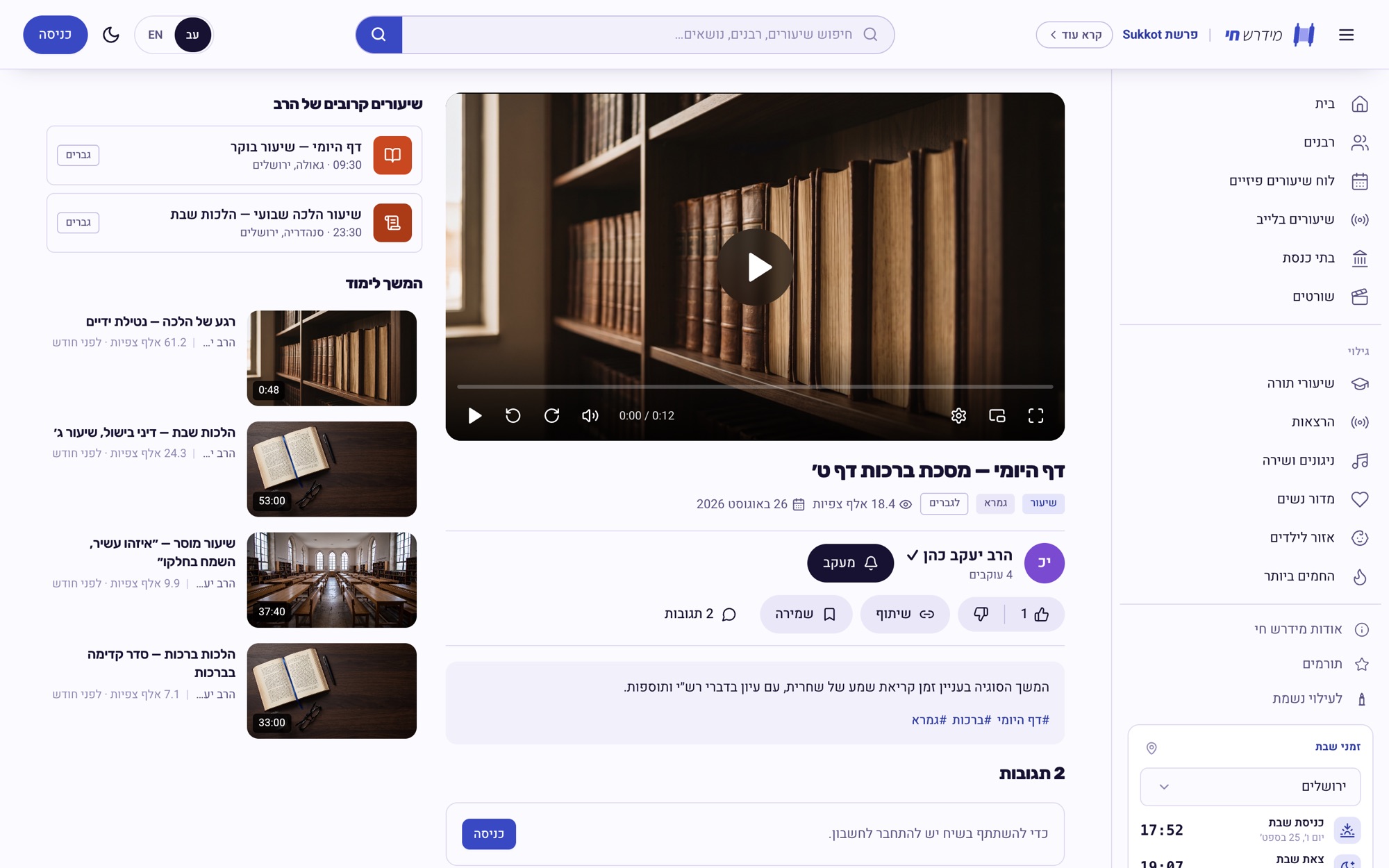
Midrash.live - a rabbi's channel
Midrash.live - watching a class

More ways in

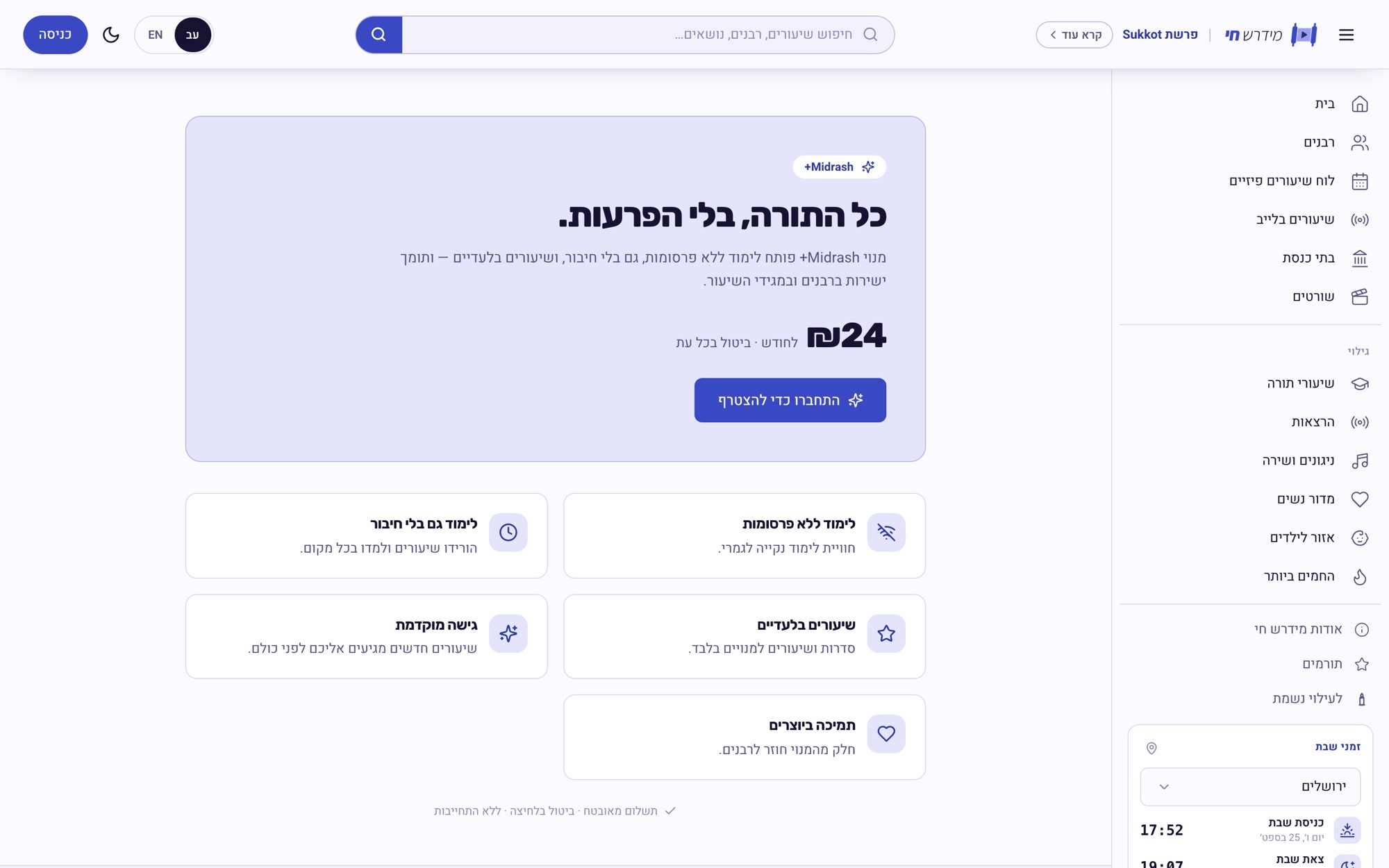
Short-form for the commute, a children's area with its own tone, and Midrash+ - an optional membership, “all of the Torah, without interruptions”, that funds the platform.
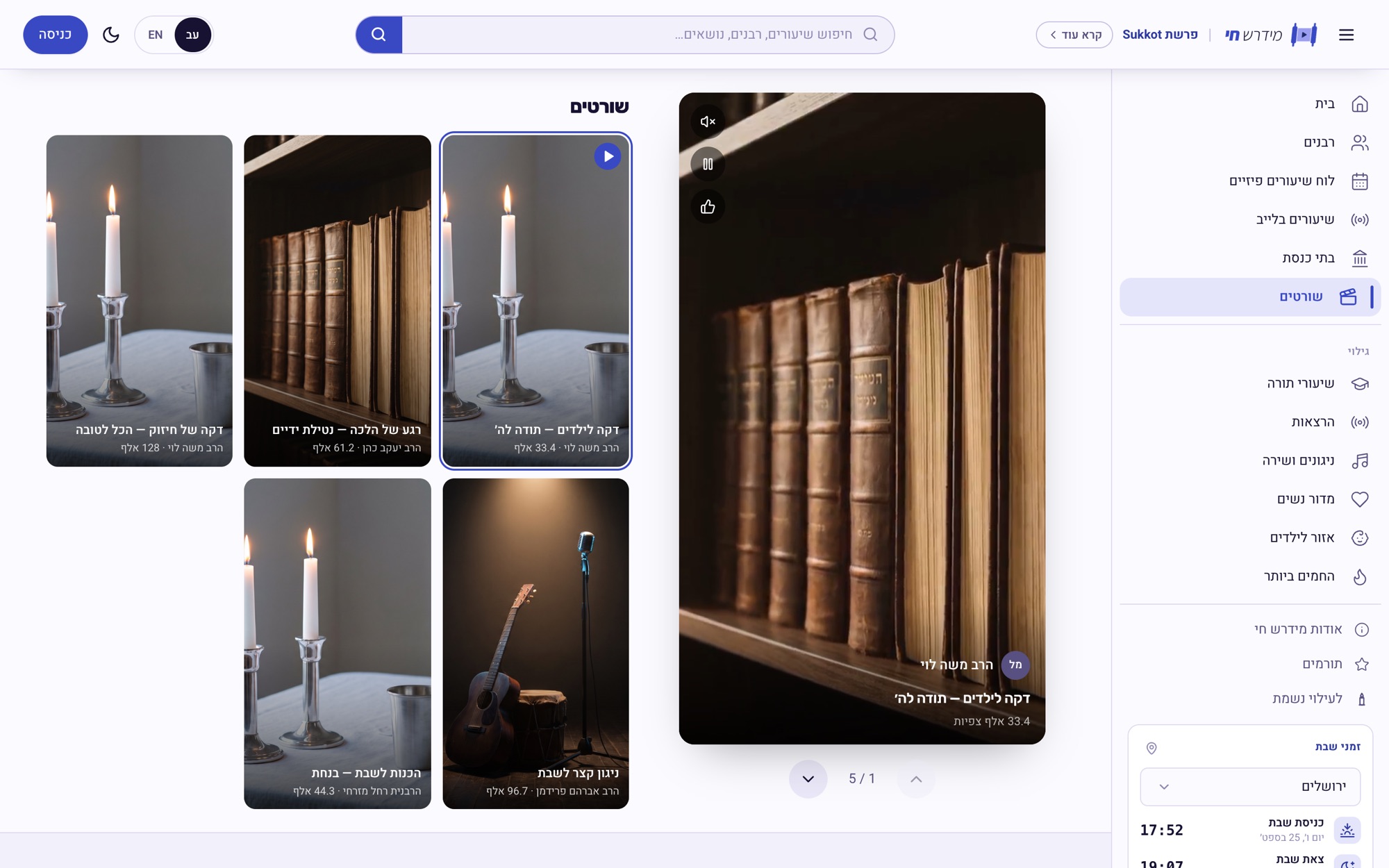
Midrash.live - shorts
Midrash.live - Midrash+ membership

On the phone

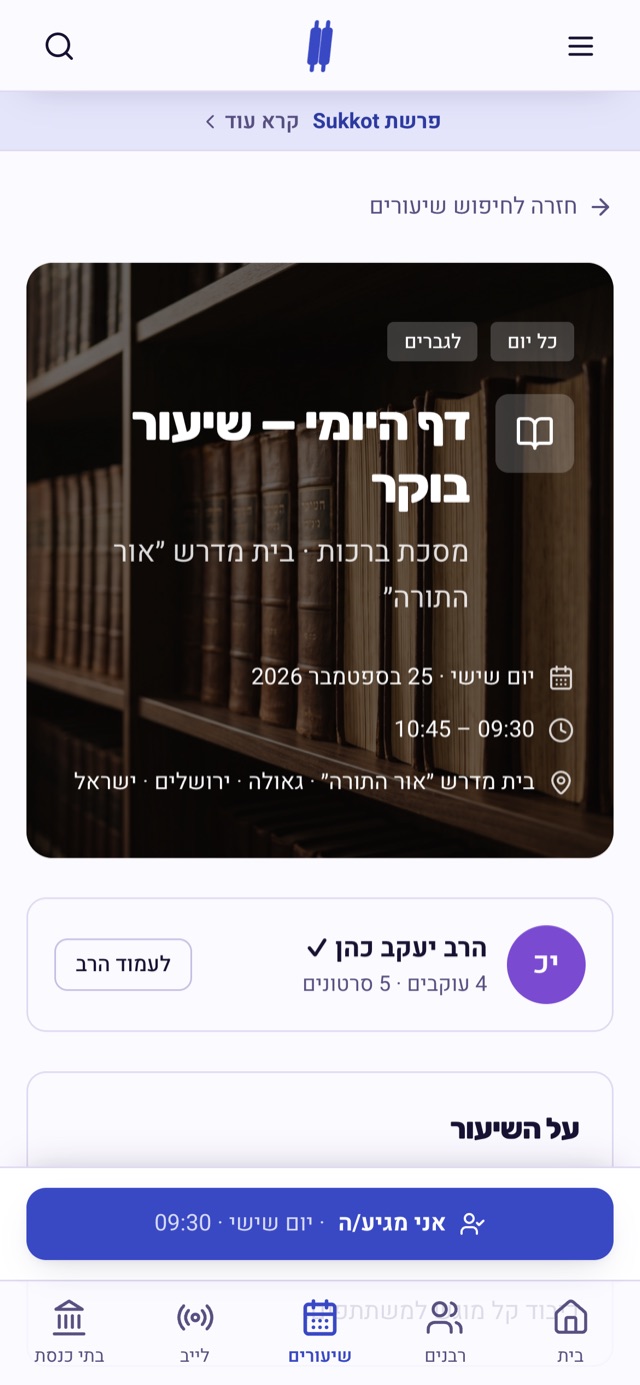
Classes are shared as links in WhatsApp groups, so mobile is the primary layout, not a squeeze of the desktop one: a bottom tab bar for the five things people come for - home, rabbis, classes, live and synagogues - and the search right under the thumb.
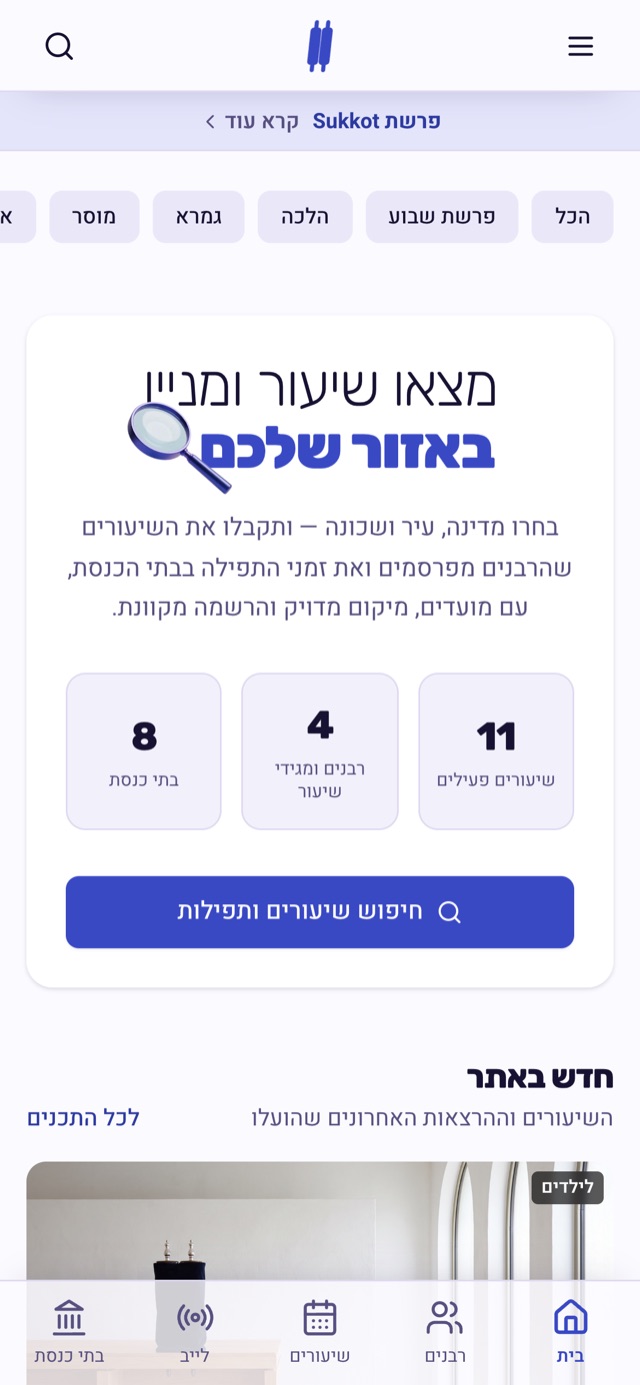
Midrash.live on mobile - home
Midrash.live on mobile - rabbi's channel
Midrash.live on mobile - class page
Midrash.live on mobile - minyanim

For rabbis, and the brand

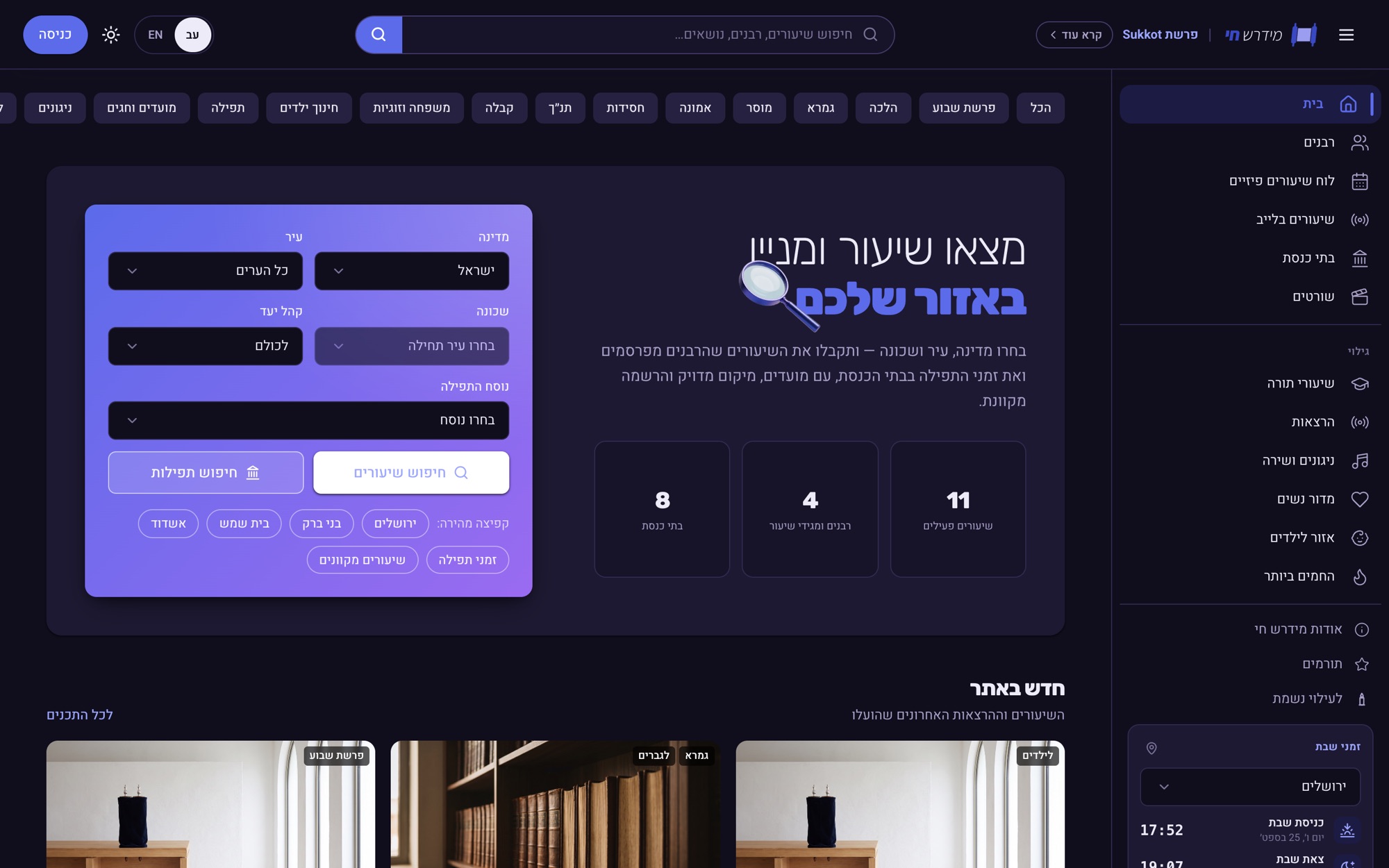
A page written for rabbis walks through the platform screen by screen and ends in a meeting calendar. The mark is a Torah scroll with a play button where the text would be, and the whole interface takes one indigo family from that logo - in light and dark.
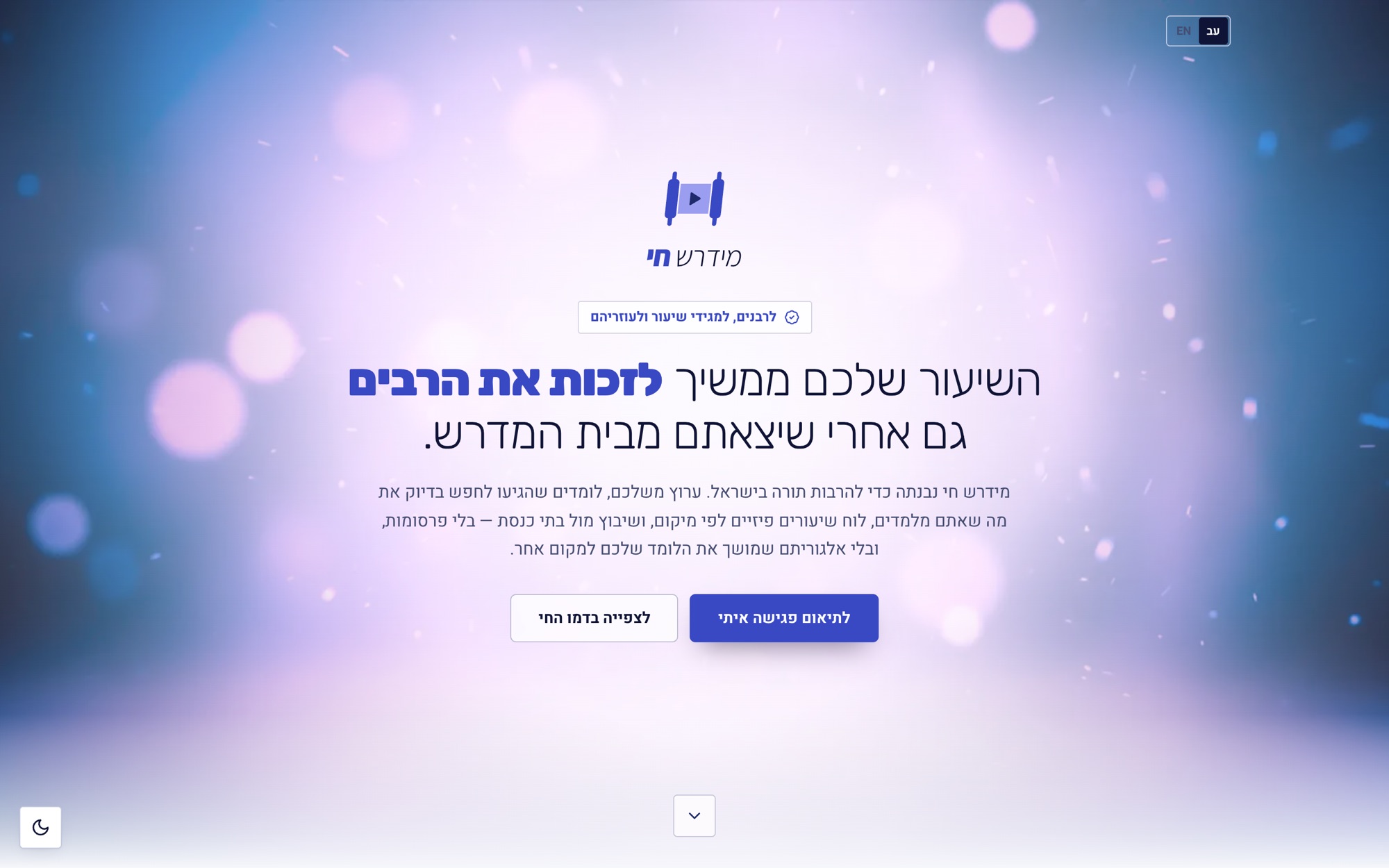
Midrash.live - the page for rabbis
Midrash.live - dark theme

Design decisions

01

  • Location before content - The home page asks “where are you?” before “what do you want to watch?”. That is what turns a video library into a community service.

02

  • An event is not a video - An in-person class has its own model with place, recurrence and registration. Forcing it into a video entity would have broken search and the calendar.

03

  • Stable keys, translated display - Cities and categories are stored as fixed keys and translated in the interface, so a search by city returns identical results in Hebrew and English.

04

  • Permissions per capability - An assistant isn't a “sub-admin”. The rabbi grants upload, edit, schedule, registrations and design one at a time - which is what lets a real rabbi delegate.

05

  • The calendar is part of the product - Shabbat times and the parasha sit in the chrome, and a minyan is stored as a rule - “Mincha, 15 minutes before sunset” - resolved for each day. Only times a synagogue actually published are shown.

06

  • One colour family, used with restraint - Indigo taken from the logo, tight corners and flat surfaces. The restraint is what gives the content the respect it asks for.
Next project
Minner →
Get in touch