All work

Midrash.live

Torah learning platform

An open house of study, online and around the corner: classes from leading rabbis, minyanim and prayer times, and a live map of in-person classes in your own neighbourhood - with registration built in.

Visit midrash.live Try the demo
Role
Product · Brand · UX/UI · Full-stack
Type
Video · Community · Events
Stack
Next.js 15 · Prisma · Tailwind 4
Languages
Hebrew RTL · English LTR
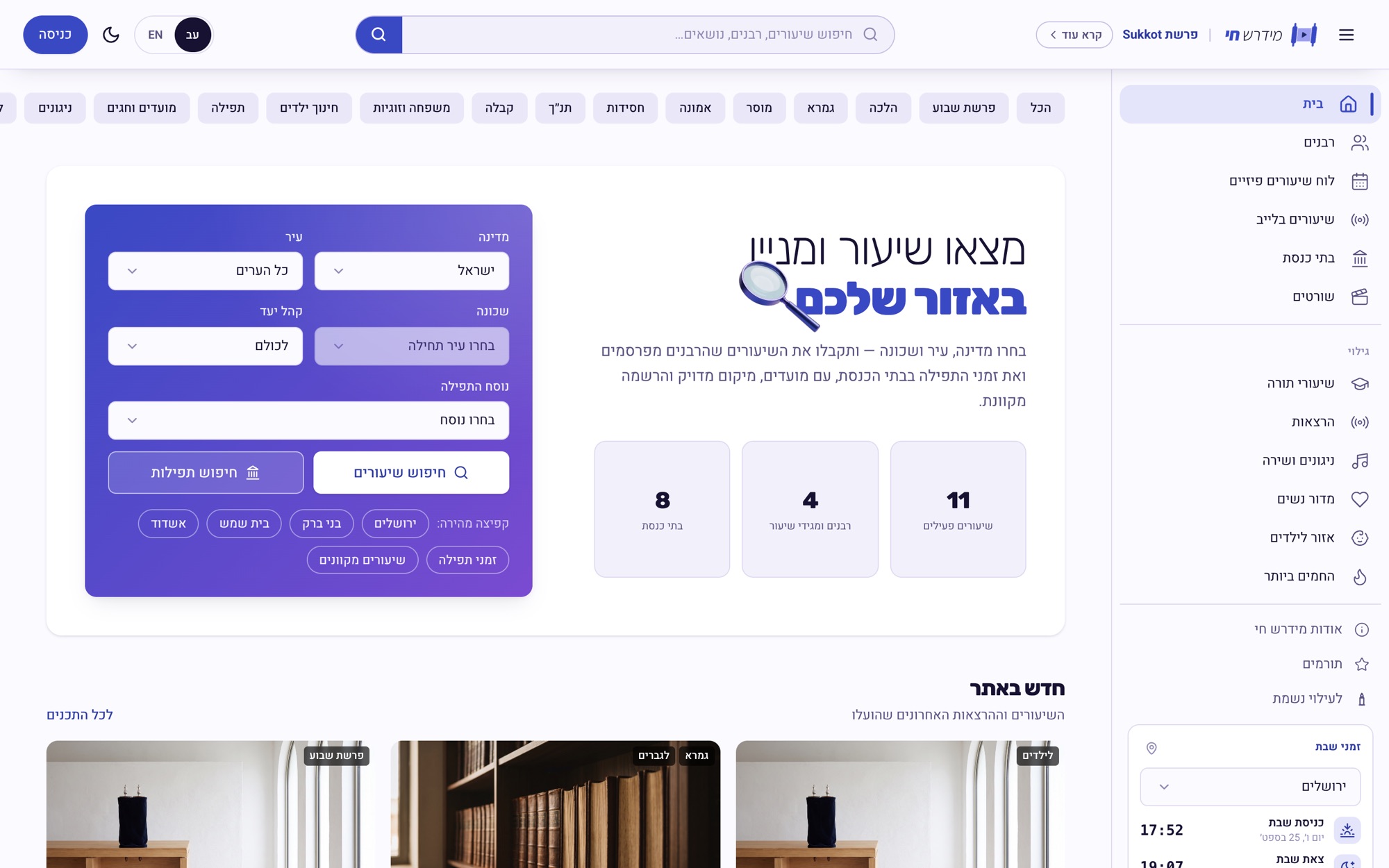
Midrash.live home - find a class and a minyan in your area

What it is

Torah content today is scattered between YouTube, WhatsApp groups and notices on a synagogue board. Someone looking for a class can't find out what's on this week in their own neighbourhood, and a rabbi who wants to spread a class depends on platforms that were never built for him.

Midrash.live joins the two worlds in one product: a curated video library and a live map of the physical community - classes, synagogues, minyanim and prayer times - with a studio that lets every rabbi run his own page.

The problem

  • No local map - No way to know which classes and minyanim run near home
  • Scattered content - Spread across platforms built for someone else
  • No tools for a rabbi - No page, no schedule, no registrations, no team
  • Audience fit - A real need to match content to men, women and children

The solution

  • Hierarchical search - Country › city › neighbourhood, for classes and prayers
  • Four content types - Classes, lectures, shorts and melodies
  • A studio for the rabbi - Upload, schedule, registrations and page design
  • Labelled, not hidden - Every item carries its audience, so nothing is guessed

How it's built

Framework
Next.js 15
App Router · Server Actions
React 19
Data
Prisma
SQLite in development
PostgreSQL for launch
Calendar
Hebcal
Shabbat times, Hebrew dates
and the weekly parasha
Auth
jose + bcrypt
Sessions · channel-level
permissions per capability
4account types - rabbi, assistant, gabbai, learner
14topic categories, from halacha to melodies
3levels of location search
2full languages and two themes

The screens

The schedule - the core idea

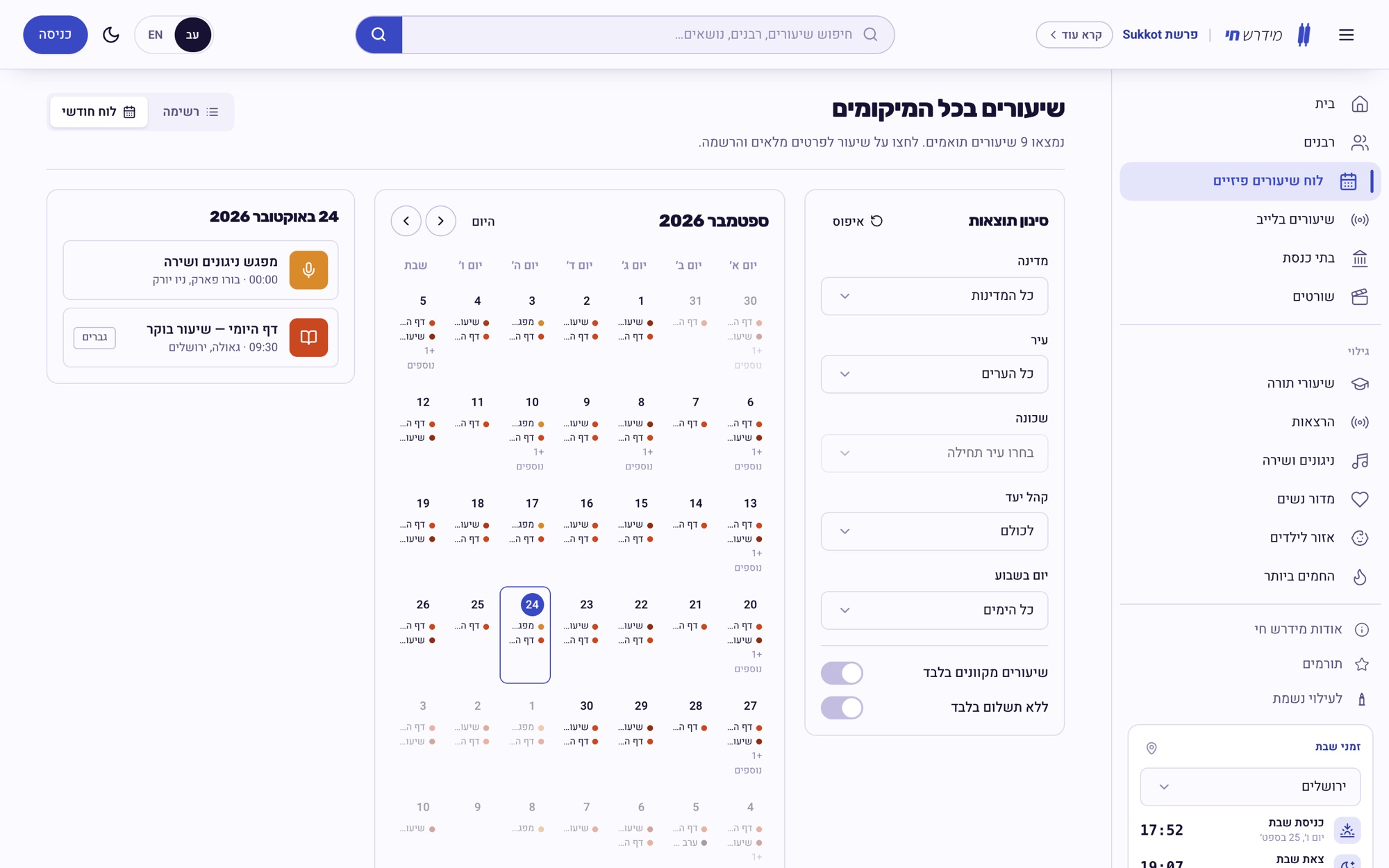
What separates this from a video site. An in-person class is an event with a place, a time, an audience and a registration, so it has its own data model rather than being squeezed into a video. The list and the calendar are two views of the same events, filtered by the same location.
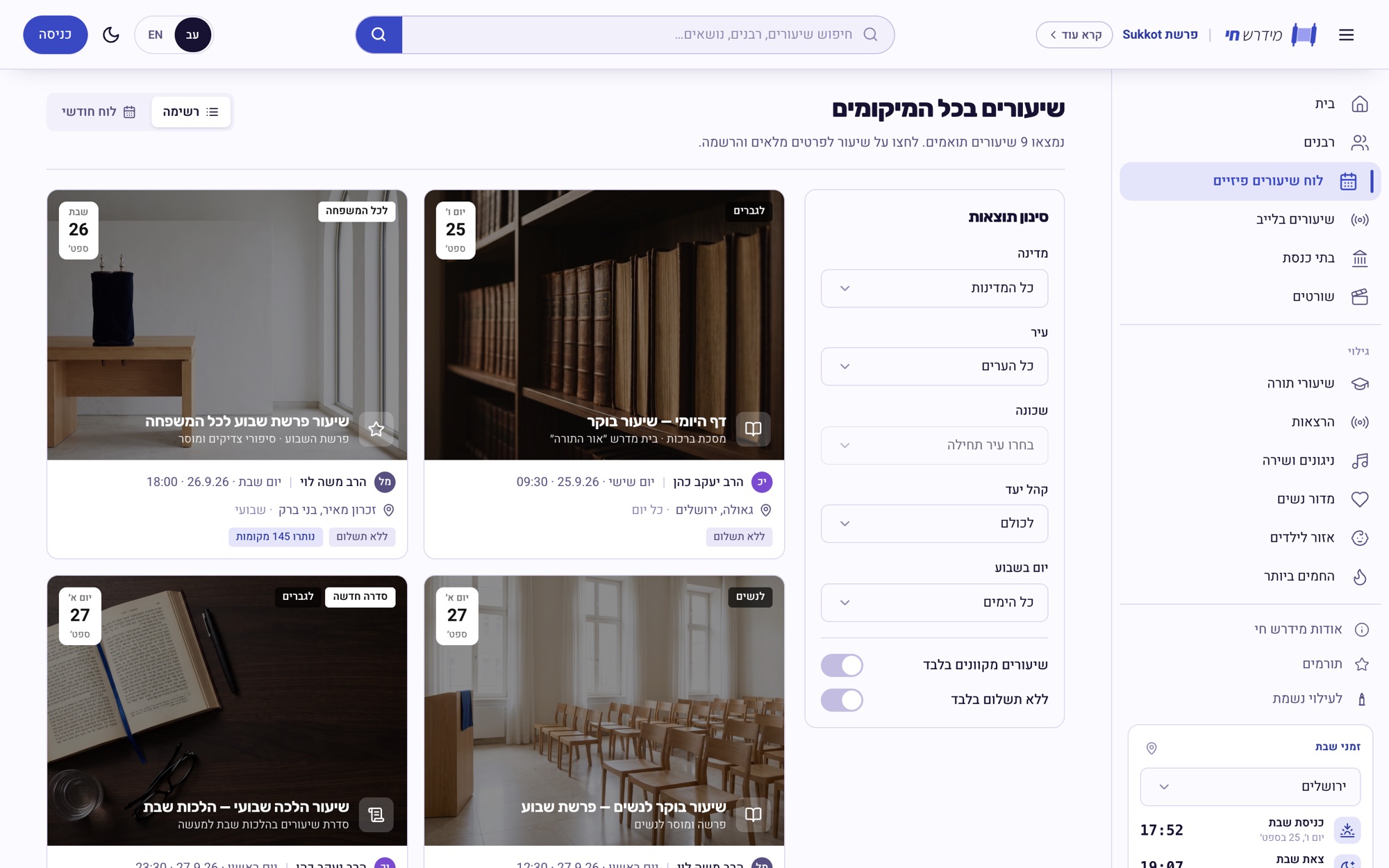
Midrash.live - in-person classes near you
Midrash.live - the class calendar

From finding to showing up

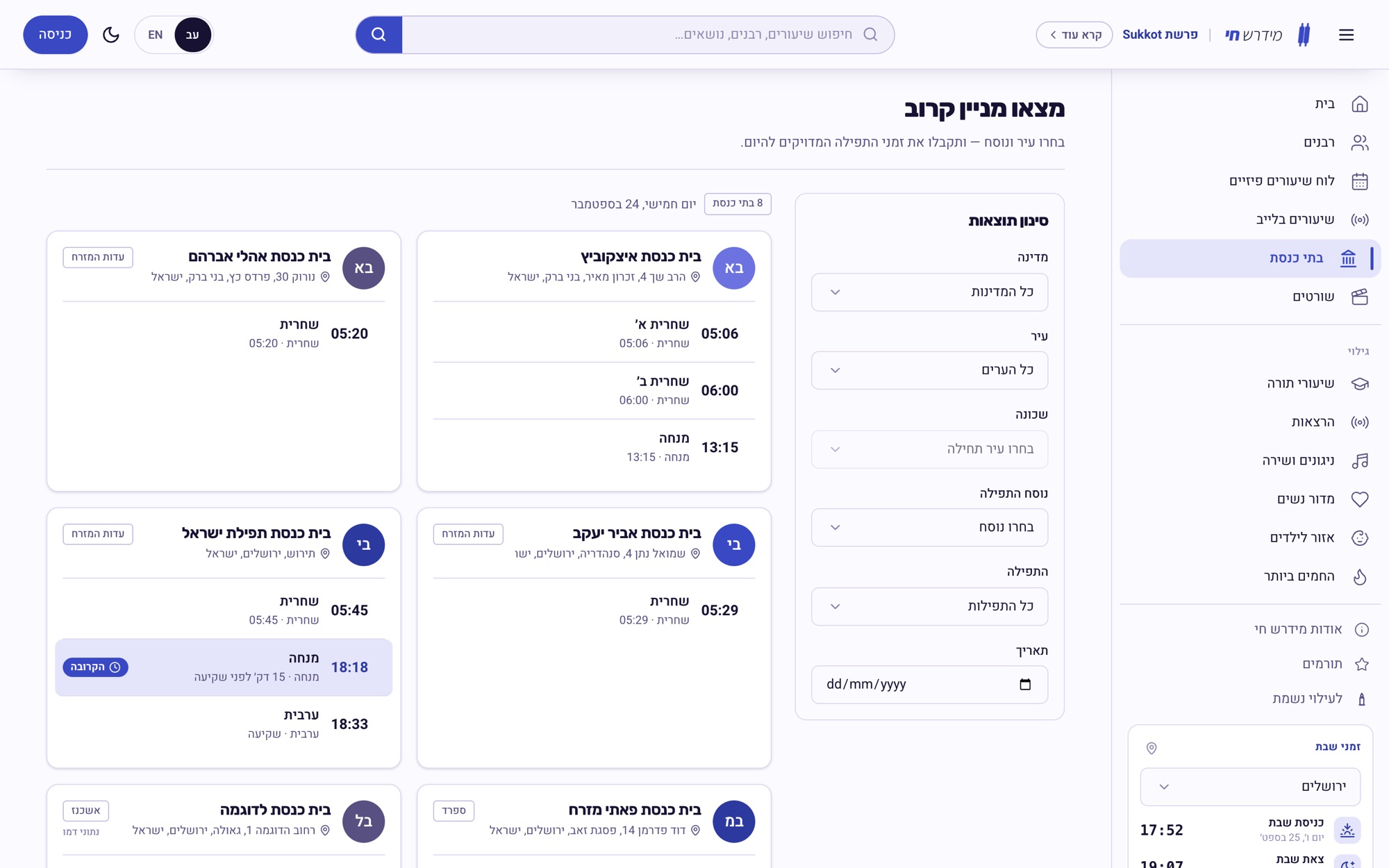
A class page answers the three questions that decide attendance - where, when, and is it for me - and ends in a registration form, not a share button. Synagogues get the same treatment: minyanim by nusach and time, searchable by the same neighbourhood.
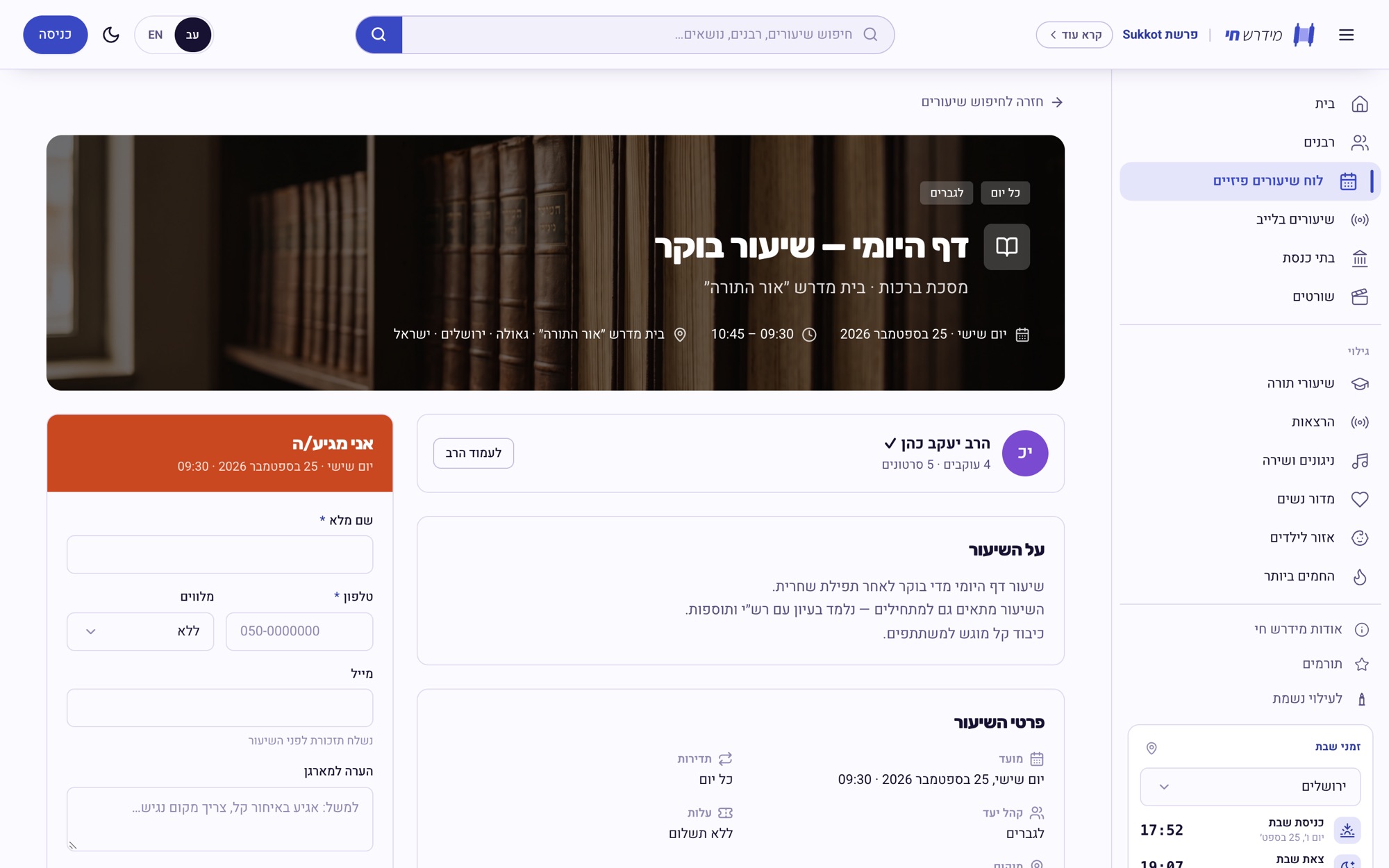
Midrash.live - a class page with registration
Midrash.live - minyanim and prayer times

The rabbi's page

Every rabbi gets a channel with the sections he chooses to show - videos, shorts, melodies, schedule and about. The rabbi controls what appears, so someone who only teaches Daf Yomi doesn't get a page full of empty tabs.
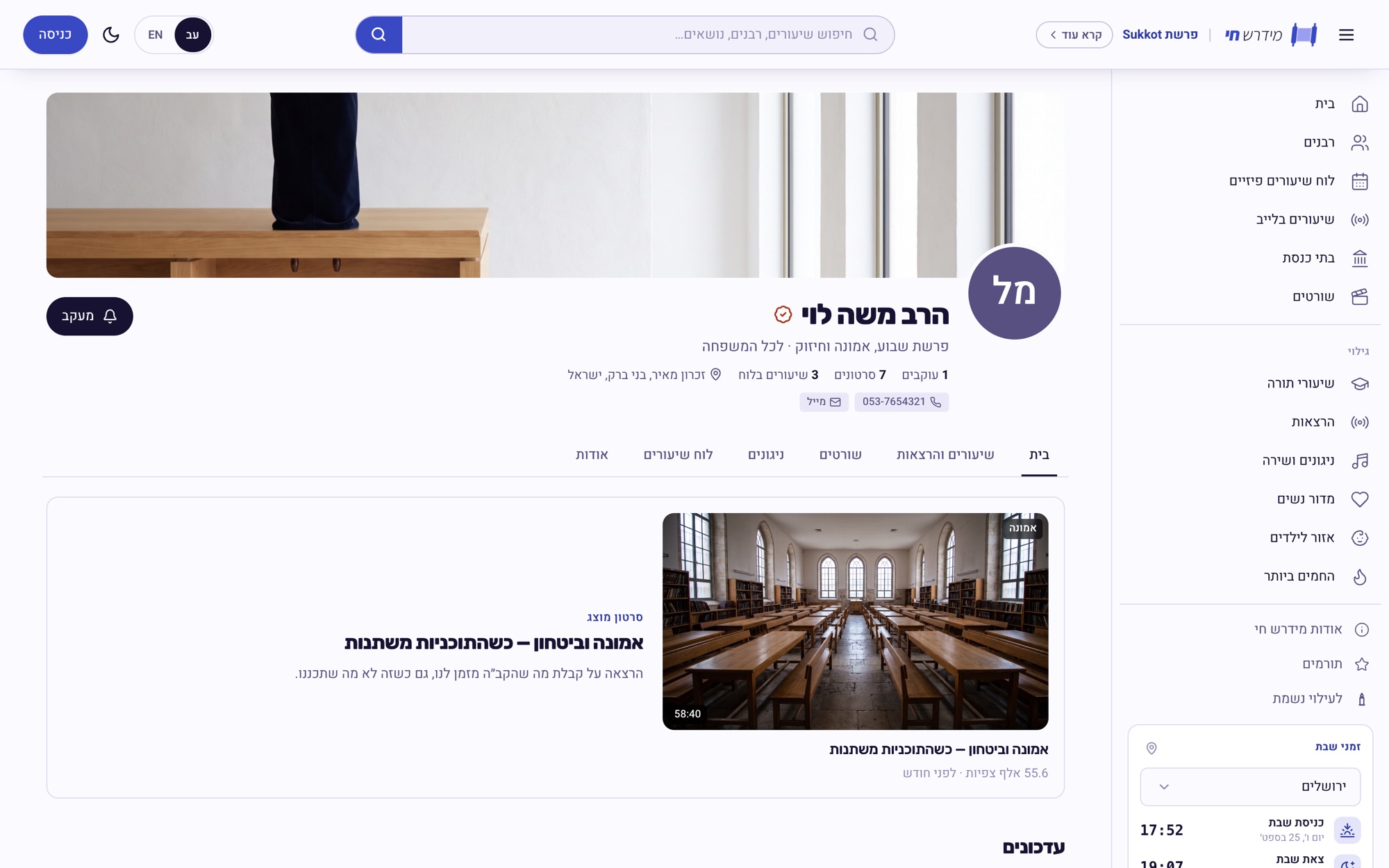
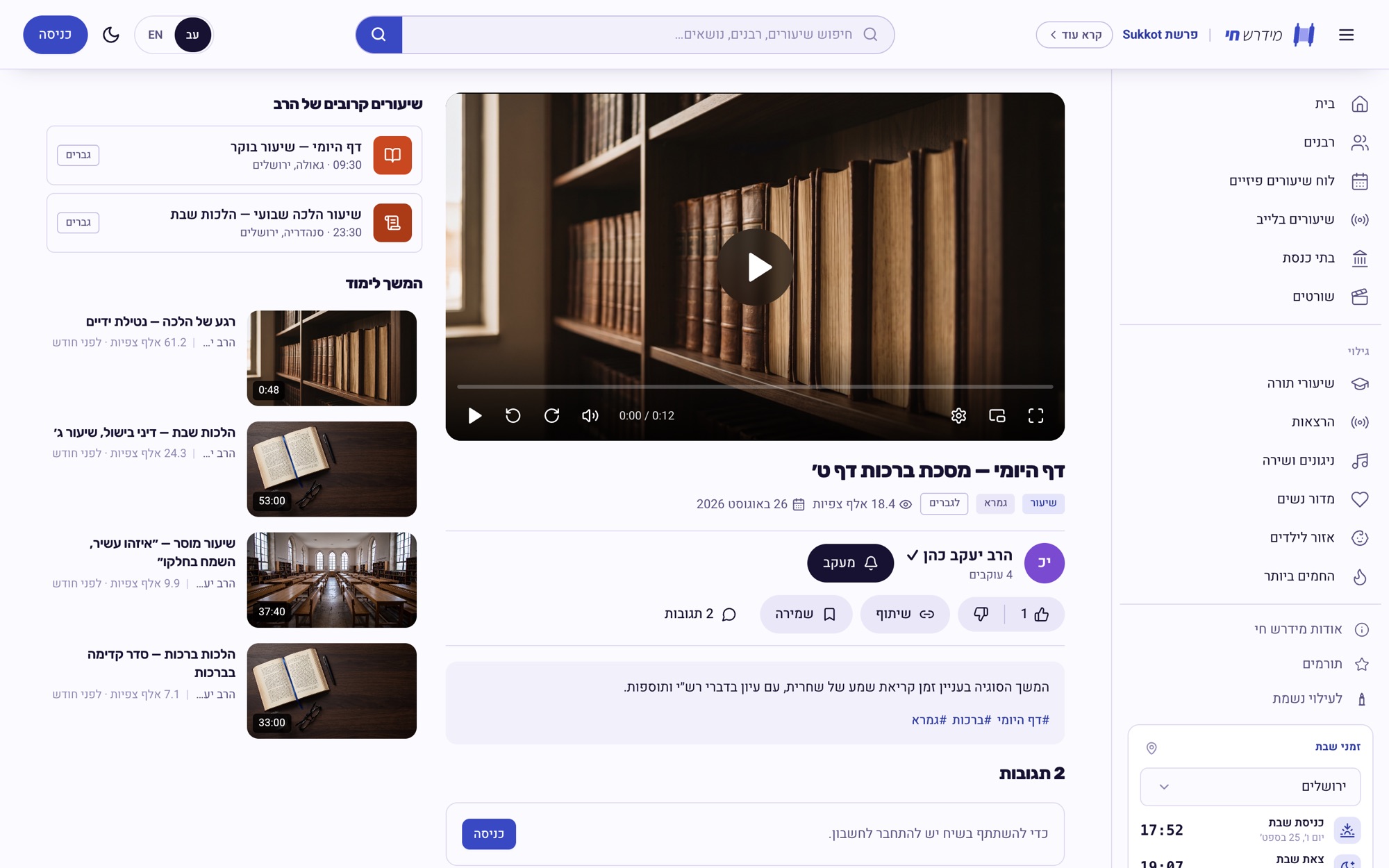
Midrash.live - a rabbi's channel
Midrash.live - watching a class

More ways in

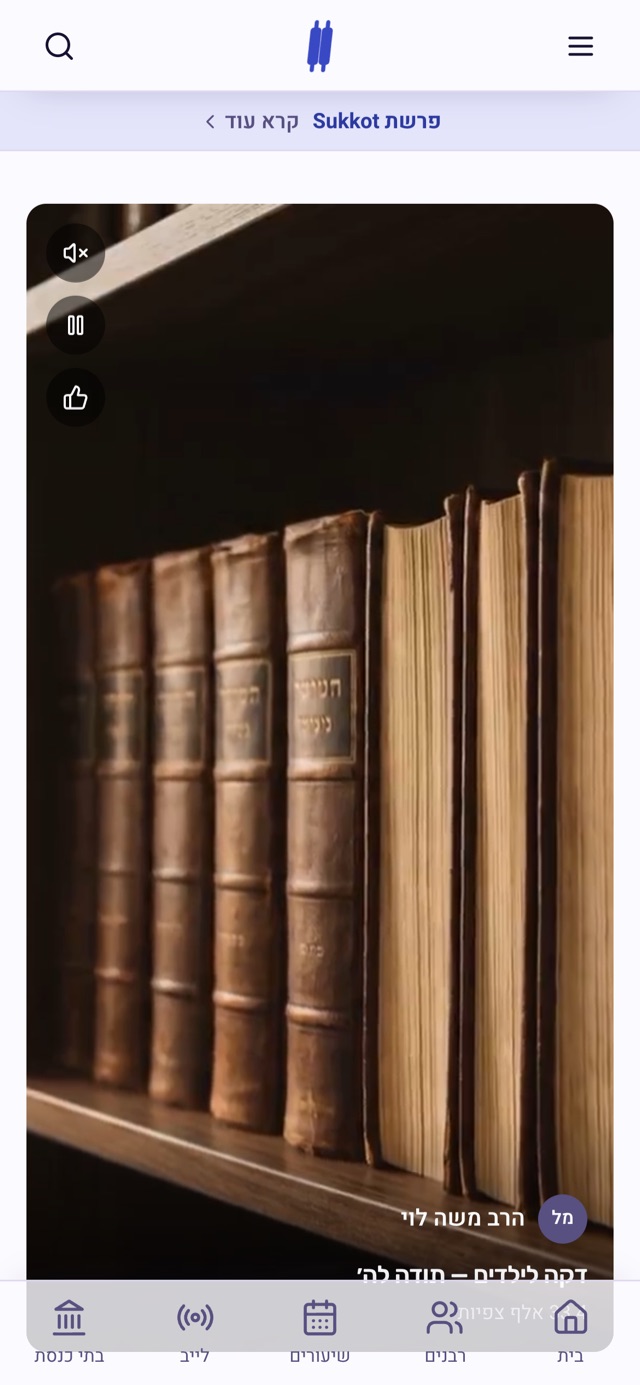
Short-form for the commute, a children's area with its own tone, and Midrash+ - an optional membership, “all of the Torah, without interruptions”, that funds the platform.
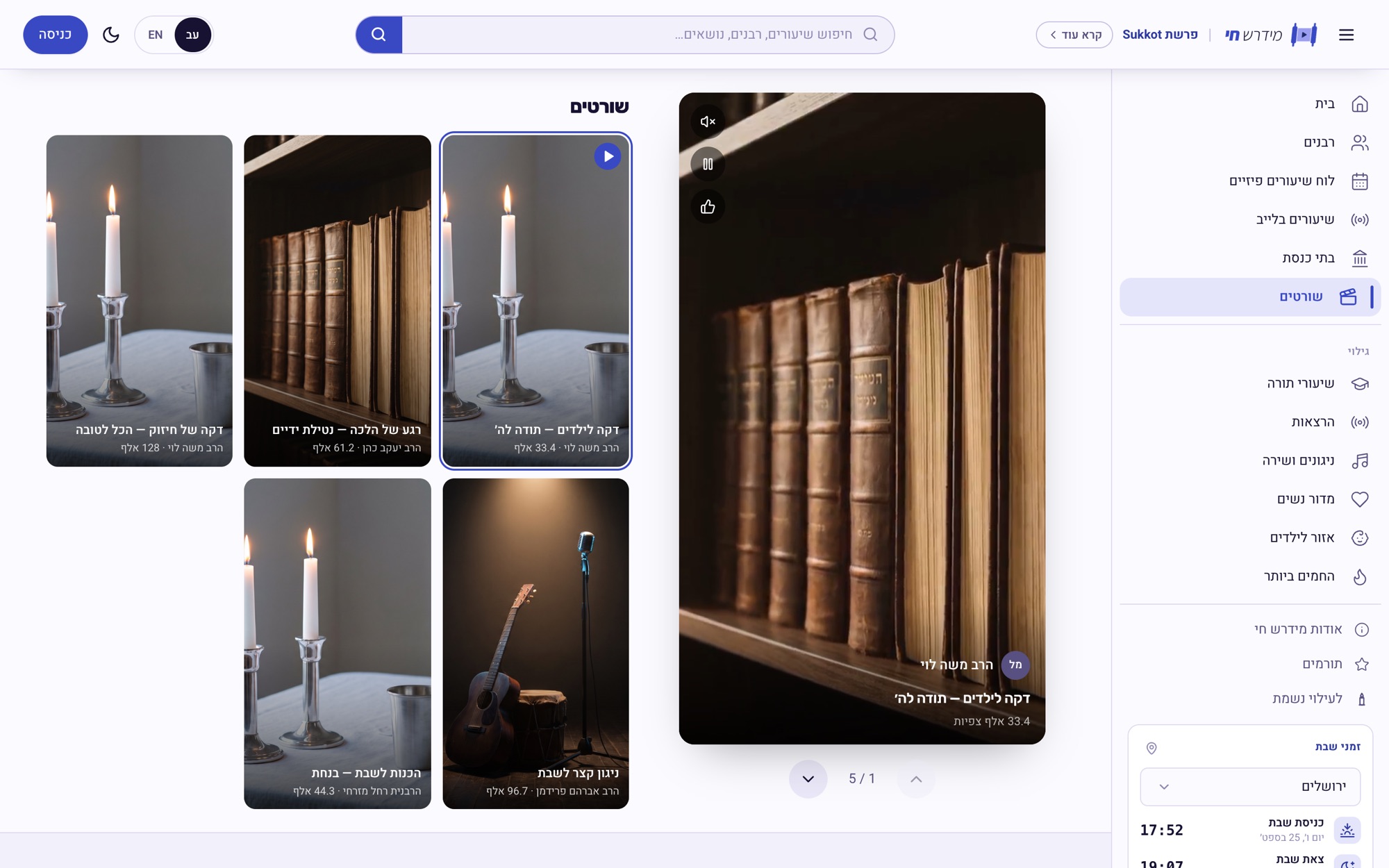
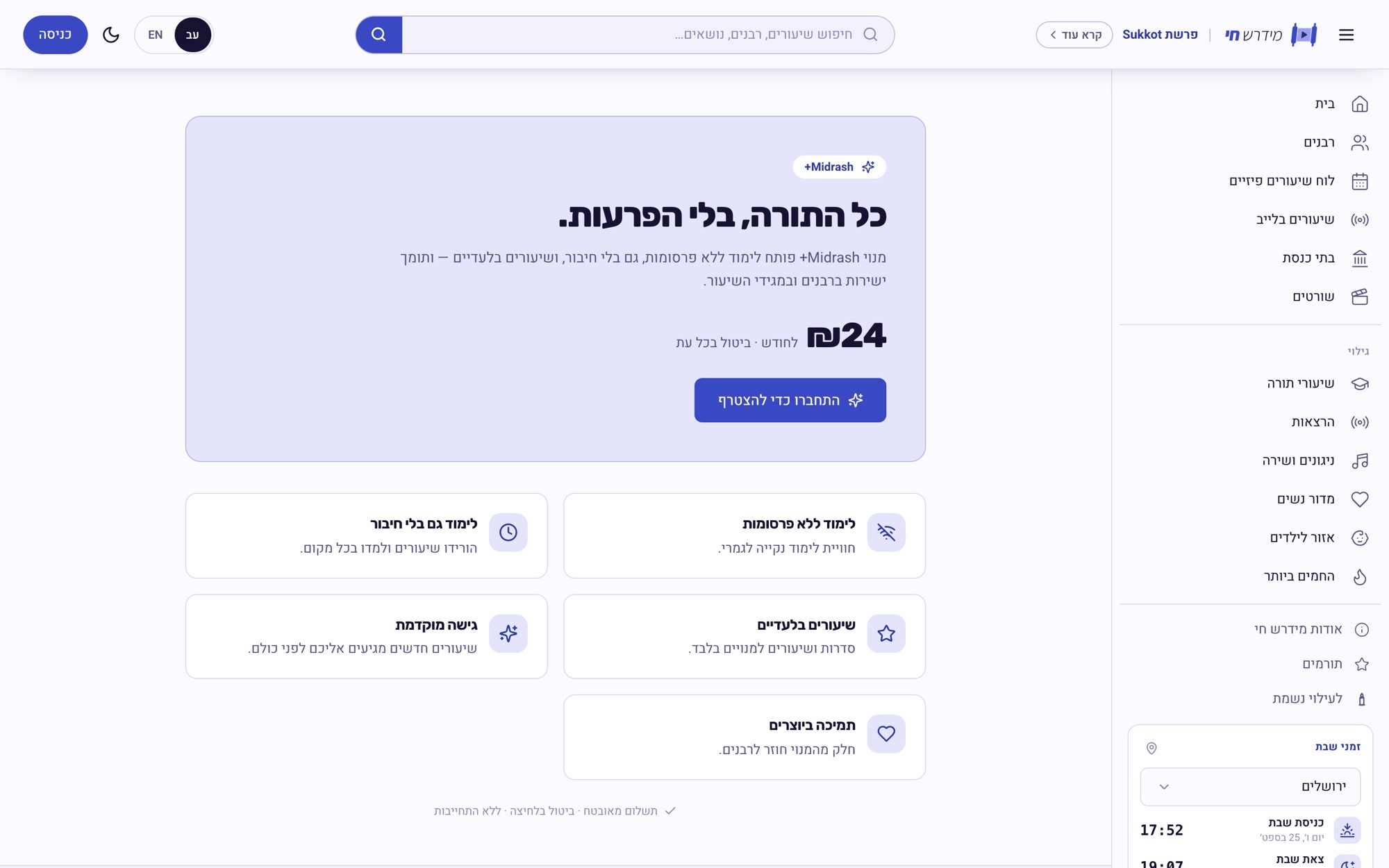
Midrash.live - shorts
Midrash.live - Midrash+ membership

On the phone

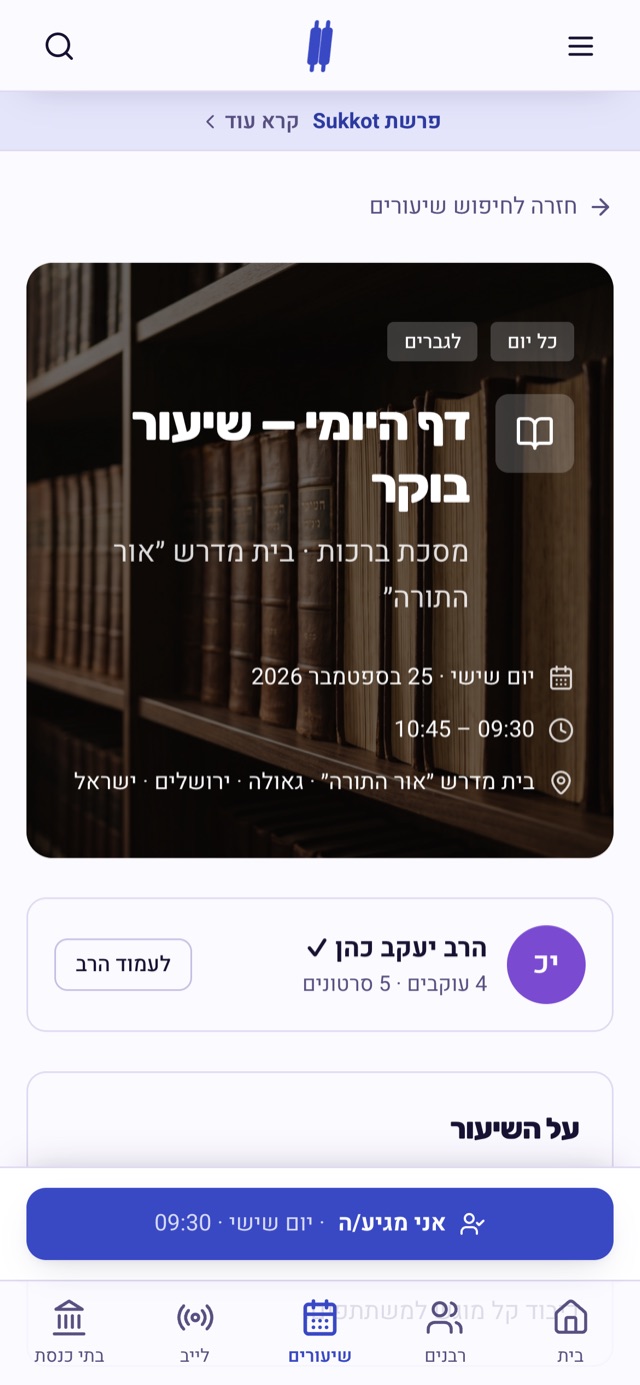
Classes are shared as links in WhatsApp groups, so mobile is the primary layout, not a squeeze of the desktop one: a bottom tab bar for the five things people come for, and the location search right under the thumb.
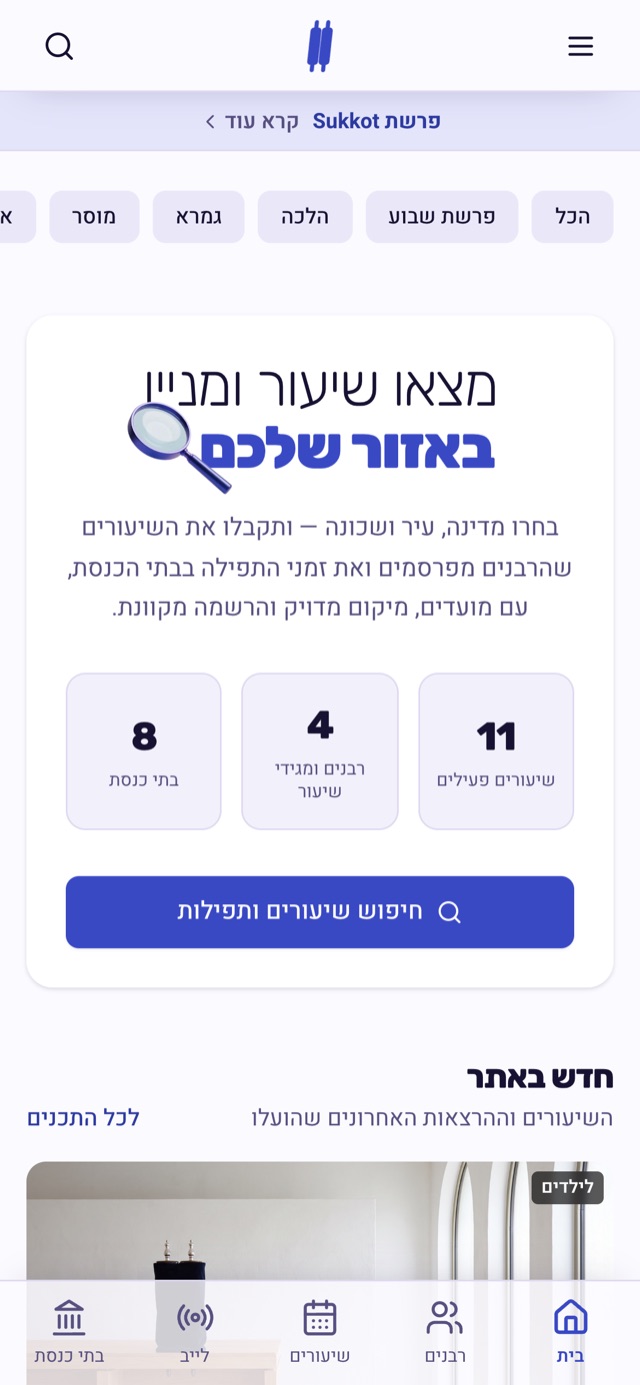
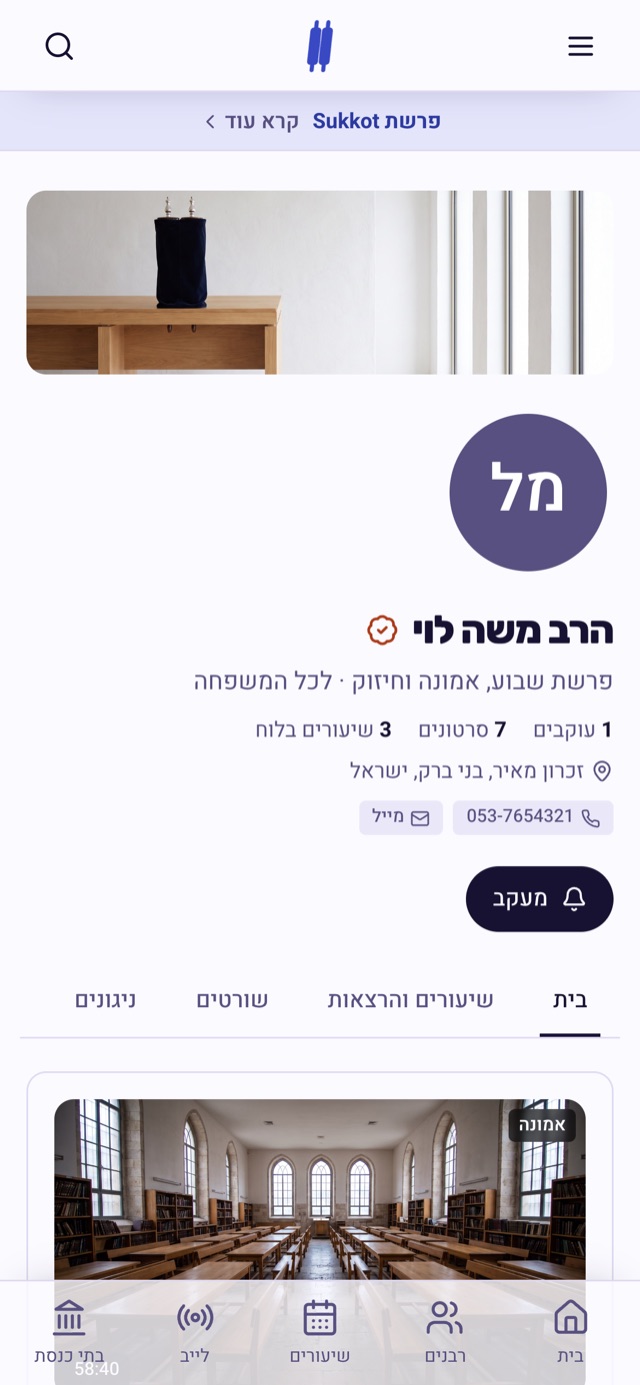
Midrash.live on mobile - home
Midrash.live on mobile - rabbi's channel
Midrash.live on mobile - class page
Midrash.live on mobile - shorts

Brand and launch

The mark is a Torah scroll with a play button where the text would be - the whole idea in one shape. It holds in both themes, and the pre-launch page carries it alone, with one action: a free year for anyone who signs up early.
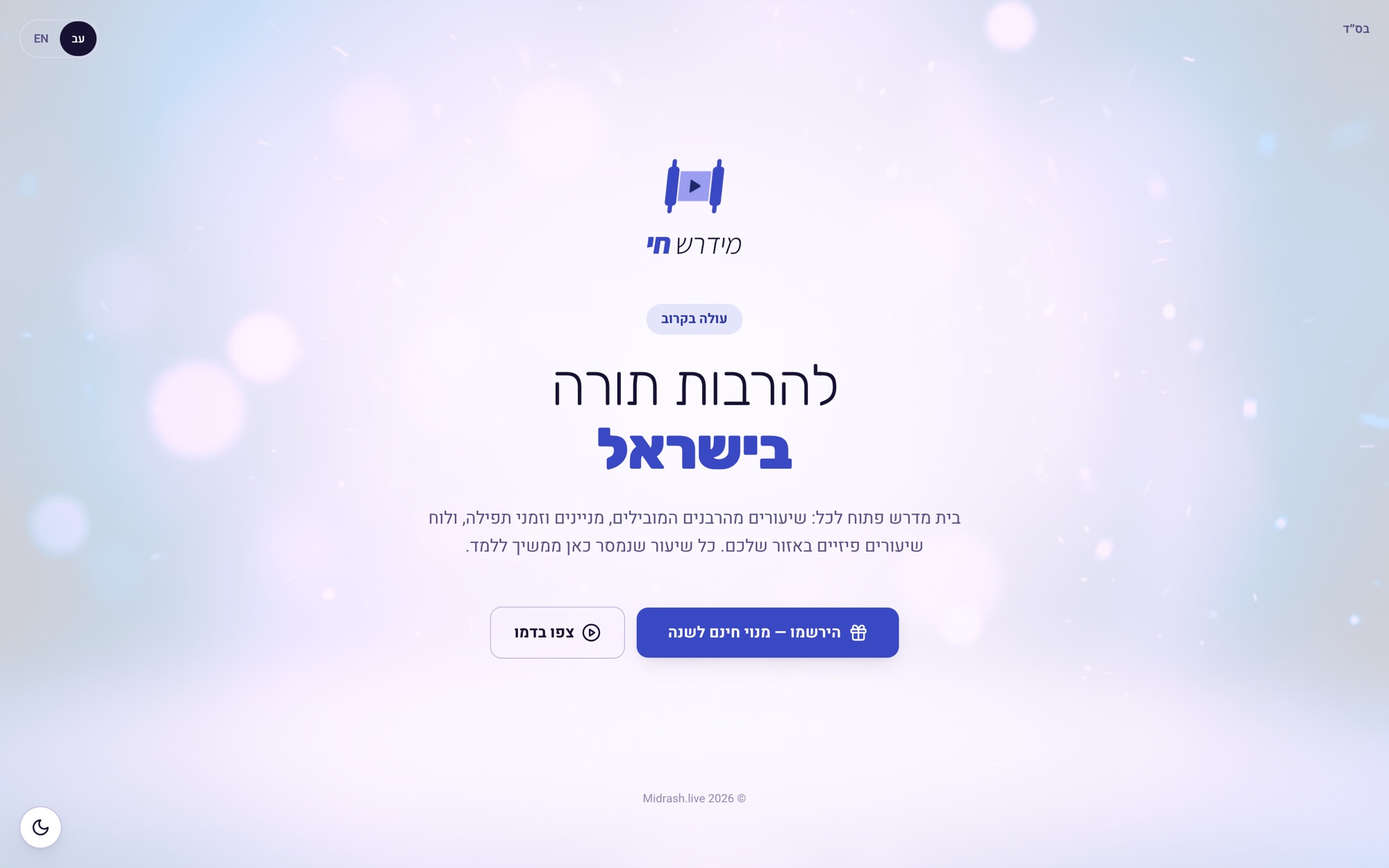
Midrash.live - launch page
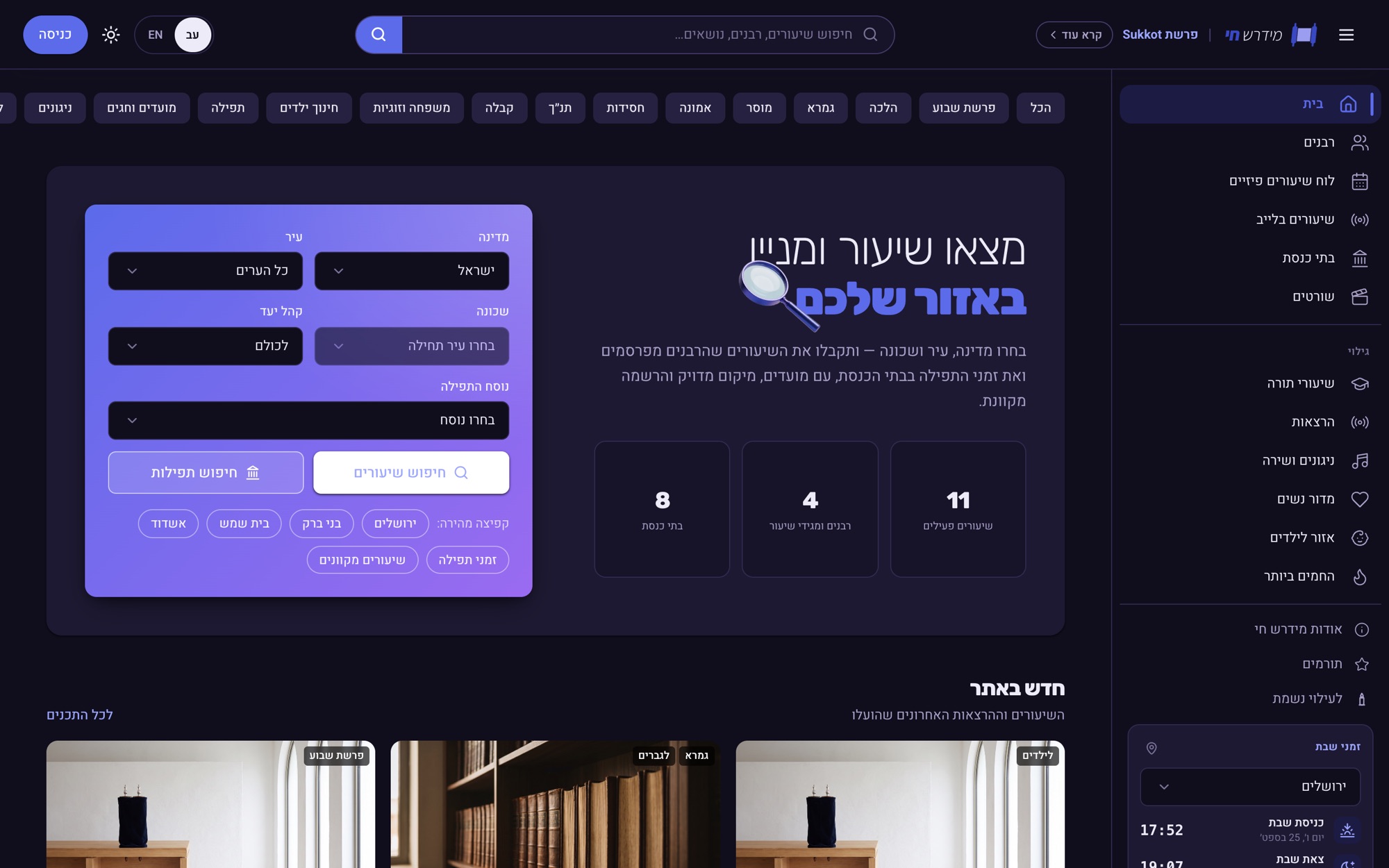
Midrash.live - dark theme

Design decisions

01

  • Location before content - The home page asks “where are you?” before “what do you want to watch?”. That is what turns a video library into a community service.

02

  • An event is not a video - An in-person class has its own model with place, recurrence and registration. Forcing it into a video entity would have broken search and the calendar.

03

  • Stable keys, translated display - Cities and categories are stored as fixed keys and translated in the interface, so a search by city returns identical results in Hebrew and English.

04

  • Permissions per capability - An assistant isn't a “sub-admin”. The rabbi grants upload, edit, schedule, registrations and design one at a time - which is what lets a real rabbi delegate.

05

  • The calendar is part of the product - Shabbat times and the weekly parasha sit in the chrome, computed rather than typed in, because for this audience the week has a shape.

06

  • One accent, used with restraint - A single indigo and neutrals, no decorative gradients in the working screens. The restraint is what gives the content the respect it asks for.
Next project
Minner →
Get in touch